Gallery being cut off

I made a gallery with Essential Grid but when adding it to the website it seems to be getting cut off at the top and bottom.

It might also be cutting on the left and right of the gallery. I can tell from seeing how the shadows end early.

I’ve adjusted the margins and padding for the section and row but it’s not working.
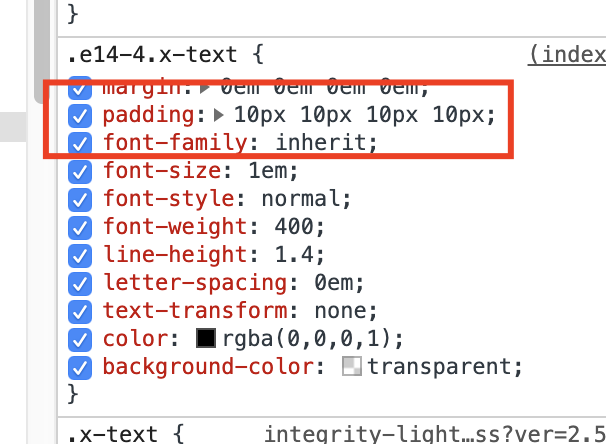
Hi @dmedianik,

It could be the padding of the text element, please try removing the padding:

Let us know how it goes!

I removed the padding of the text element but it didn’t fix the issue.

Hello @dmedianik,

The default behaviour of the grid hides away the overflow. To resolve your issue, please add the following CSS code in the X > Theme Options > Global CSS (http://prntscr.com/evui3r)

.esg-grid .esg-overflowtrick {
    overflow: visible;
}

We would loved to know if this has work for you. Thank you.

This worked thank you. Is there an option within the grid setting to enable overflow?

Hello @dmedianik,

There isn’t a setting. Actually the skin’s default styling is causing this issue.

Regards.

This topic was automatically closed 10 days after the last reply. New replies are no longer allowed.