I am using a child theme of Pro. How do I update the functions.php in the child theme?
Hello @orbsupport,
Thanks for writing in!
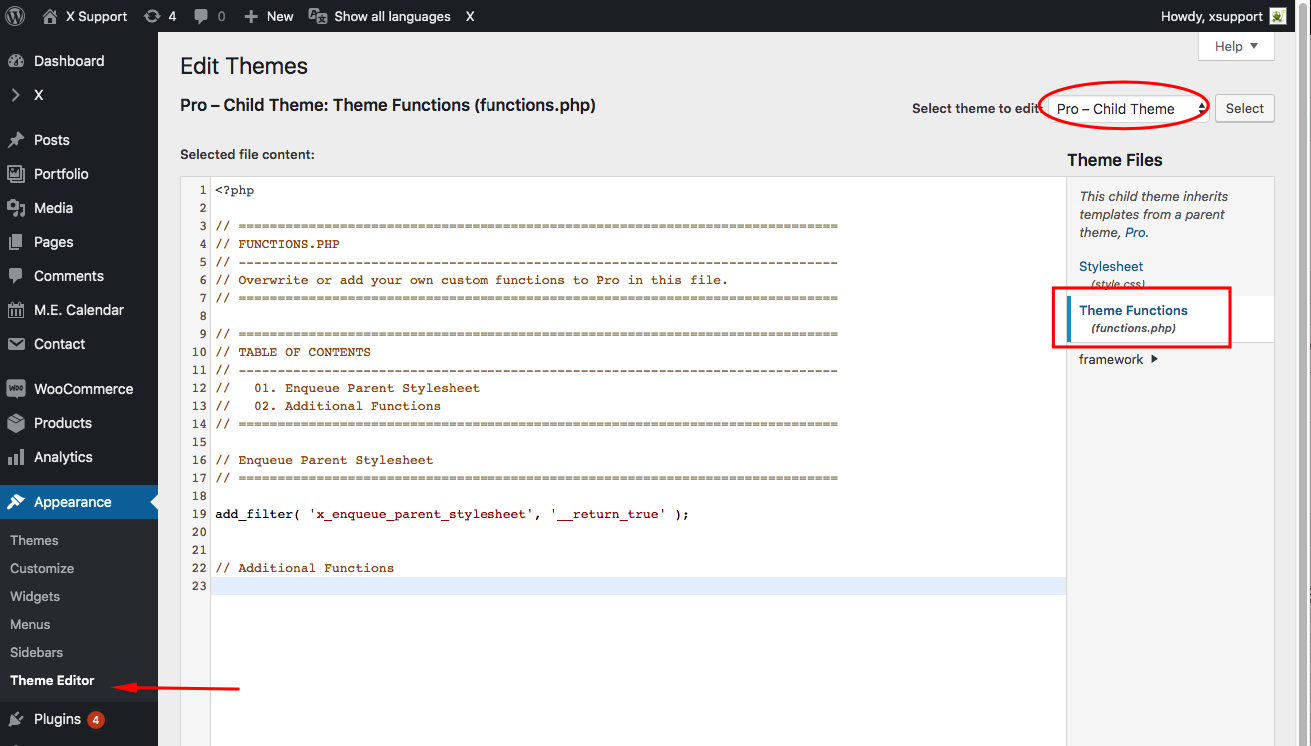
Please go to Appearance > Theme Editor and select the “functions.php” file from the right panel. If file editing is allowed, you should be able to save your changes.
Hope this helps.
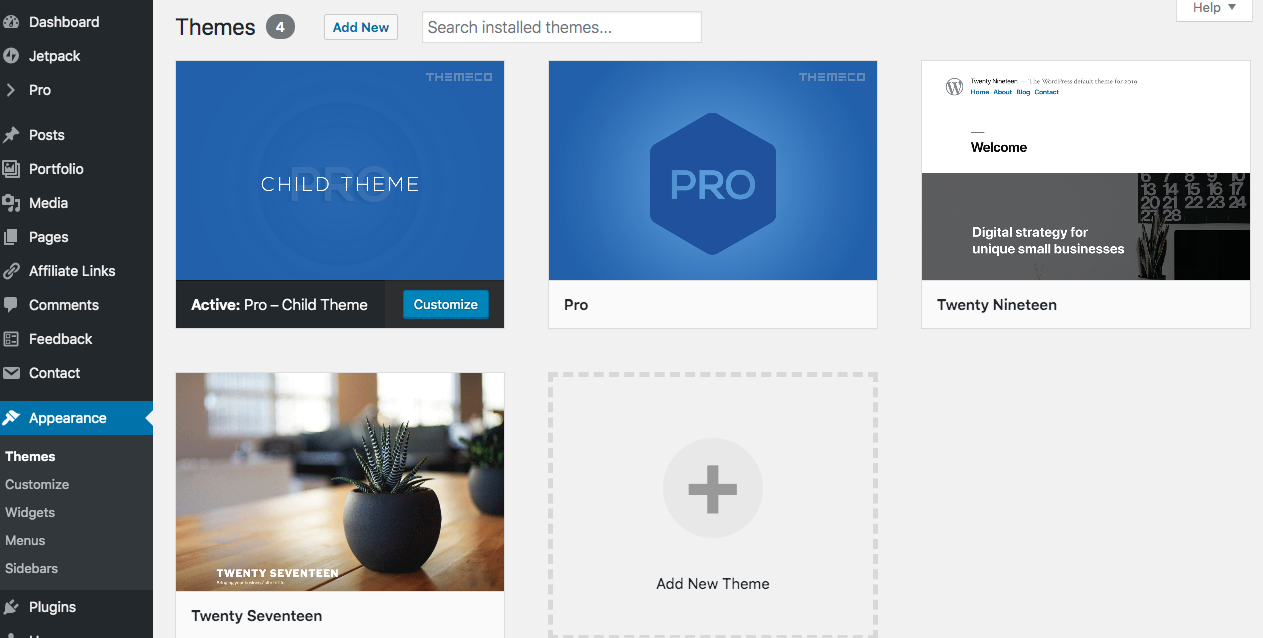
This is the screen I see when I click on Appearance. I am using WordPress 5.2.2 running Pro – Child Theme theme.
Hello @orbsupport,
Thanks for updating the thread.
Hmm, that’s interesting. Looks like it’s a permission related issue as Administrator role has Theme files editing permission. You also have the option of editing the child theme function.php file using FTP under /wp-content/pro-child/function.php.
In case you face any issues, please share website login details in secure note for us to take a closer look.

Thanks.
This topic was automatically closed 10 days after the last reply. New replies are no longer allowed.