Full Width Section On Post

Hi There,

On my blog post, I hid blog post title and feature image (see below code), then added a section, adding classic image. However, the section doesn’t cover the full width of the blog! I tried no-container as well.

See link: http://cuneivlog.com/facebook-cambridge-analytica-data-scandal/
Hi There,

Thanks for writing in!

First please add this CSS to your theme option-> Global CSS

.single-post .entry-content {
padding: 0px !important;
}

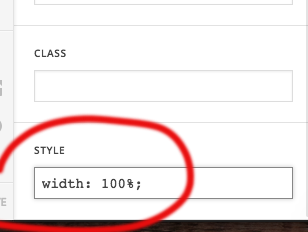
After that make the image width 100%.

Hope this helps!

Hi There,

Thanks for your feedback, it works now, but the issue is that the margins are not fixed on different platforms!

For example, from desktop to mobile.

Hi There,

Please update the previous CSS to this:

.single-post .x-breadcrumb-wrap {
display: none;
}
.single-post .entry-content {
padding: 0px !important;
margin-top: 0;
}

Let us know how it goes!

This topic was automatically closed 10 days after the last reply. New replies are no longer allowed.