Full Width Issue with Global Block

Hello,

I have a contact form set up on several pages of the website. I need the section to be full width. Because the contact form is on several pages, I’ve created a Global Block. The issue I’m having is that it is not full width. I have turned off inner container and turned on marginless columns. The page template is set to full width. Width is 100%. Still, this section does not extend to each corner of the page.

Your help with this would be greatly appreciated. The site is currently under construction, so I will provide access information.

Thank you.
Hi there,

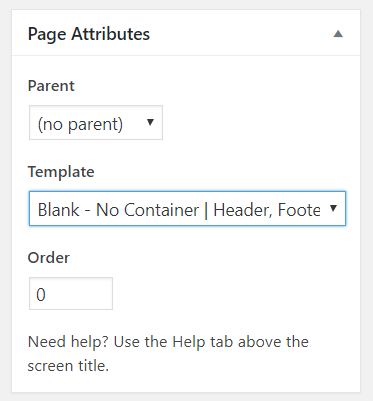
Thanks for writing in! To make it fullwidth you need to use a page template without a container. Please change the page template to Blank - No Container | Header, Footer under Page Attributes > Templates

Hope this helps!

When I make that change, it removes the page title section. Anyway to fix this? I put it back to full width to show the section I need on that page.

Hi Juanita,

Please add this to Theme Options > CSS

.page-template-template-layout-full-width .x-container.max.width.offset {
	width: 100%;
	max-width: none;
}

Apply back the inner container of other sections that you don’t want to be fullwidth.

Hope it helps,
Cheers!

Works. Thank you very much.

Glad it works.

Cheers!

This topic was automatically closed 10 days after the last reply. New replies are no longer allowed.