Full width featured image in post (blog) + Title within the featured image

Hi,

I would like to get the same result as this => https://www.aulart.com/music-royalties-part-ii-recording-artists-and-producers/

1- Title should be within the posts featured image (text with shadow to increase visibility)
2- Post featured image needs to be Full Width, but with a controlled height like in the link above.
3- Parallax effect on the image

Thank you,
Hello Hassan,

Thanks for writing to us.

To achieve this layout you need to go to Pro—>Layout -->Create new layout -->Aselect single template.

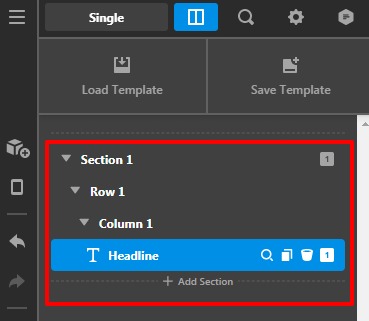
  1. Add a section
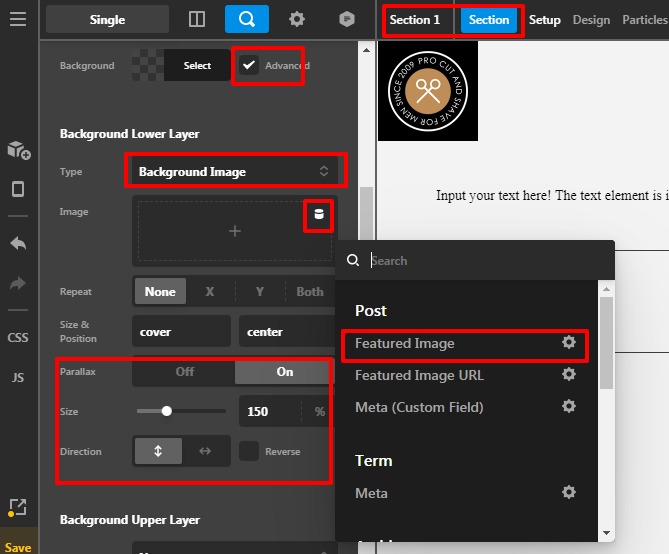
  2. Add the section background image as a featured image with the help of dynamic content.
  3. On the Parales mode and set the setting.
  4. Add a row and then in the column —>Add a Headline element
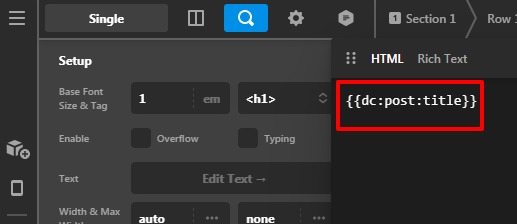
  5. Add the post title with the help of dynamic content.

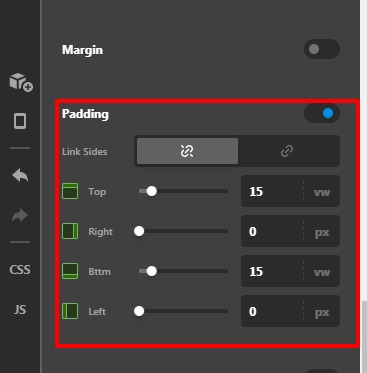
Please have a look at the given screenshot below.

testsxt-Layouts-Pro

testsxt-Layouts-Pro2

testsxt-Layouts-Pro3

Hope it helps
Thanks

This topic was automatically closed 10 days after the last reply. New replies are no longer allowed.