Hi, I am just starting a long page site with Ethos 3 demo. However, I want to create a full page image before menu bar that works like: https://theme.co/x/
Hey there,
That could be achieved using Slider Revolution Fullscreen layout Hero Scene type slider. See the links below for more details.
https://www.themepunch.com/revslider-doc/slider-setup/#slidertype
https://www.themepunch.com/revslider-doc/slider-setup/#slidelayout
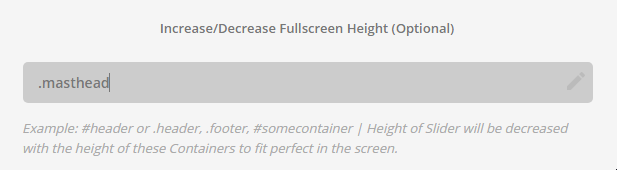
Under the Fullscreen Height option, insert .masthead. This will subtract the masthead’s height with your fullscreen slider’s height creating the navbar below the slider effect like our sales page.
Go to your page and under Slider Settings: Above Masthead, select your fullscreen slider.
Hope that helps.
Great. What size does the image need to be (hxw dpi) to achieve the Slider Revolution Fullscreen Hero Scene type image seen here?: https://theme.co/x/
That size of that background image is 1500x1000px.
Hope it helps 
72 dpi ?, or does some of your Demos Sliders have 300 dpi (they are so clear)-- if so how does that file size affect operating speed?
Hey There,
Hope you are doing great
You have set slider in page using cornerstone, Which will shows under menu. You can remove it from page.
To set slider above masthead, Browse to Pages >> Home(click edit) >> scroll down to ‘Slider Settings: Above Masthead’ select slider and update page.
I already have set slider above masthead, Please take a look.
Regards
Progress, but still not as intended. When I scrolled down to ‘Slider Settings: Above masthead’ it showed ‘inactive.’ So I checked Slider 2. Please take a look. It now appears, but not in the Masthead, instead of under the original Slider in the Demo. Thanks, With some help, I will get the hang of this soon.
Hi There,
You want the slider above the menu right? So yeah the “Slider Settings: Above masthead” is the right choice.
I did go ahead and set your slider to be visible to the entire above fold together with header/masthead.
The settings that you need to set is the Slider Layout (https://prnt.sc/frg5nn)
And the .masthead and #wpadminbar height that needs to be offset (https://prnt.sc/frg5s0)
Here’s a good article about what dpi web images needs to be.
(spoiler alert: it does not really matter  )
)
Cheers!
This topic was automatically closed 10 days after the last reply. New replies are no longer allowed.