Hi!
How do I make a full height hero image, like in the “Kingdom Church” demo? I installed the demo from the design cloud, but it’s not there.
Hi!
How do I make a full height hero image, like in the “Kingdom Church” demo? I installed the demo from the design cloud, but it’s not there.
Hello @Muller
Thanks for writing to us,
The full-screen image is been created by the Revolution Slider plugin. This issue usually happens when you imported the demo site content while the Slider Revolution bundled plugin is not installed or activated. Install and activate the revolution slider. I suggest having a fresh install of WP then start downloading the template you want from design cloud.
If you want to create full-screen hero image as our demo you can create it by the help of Revolution Slider plugin
Go to Revolution Slider and create a new slide
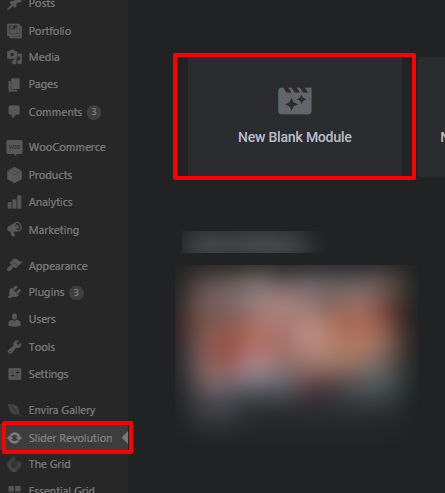
Set the slider layout as Full Screen
Thanks
Hello @PrakashS,
it worked the way you recommended. I installed the theme from the design cloud but made sure to have the Revolution Slider activated in advance. Thank you for your help!
This topic was automatically closed 10 days after the last reply. New replies are no longer allowed.
