Footer widget formatting

Hi,

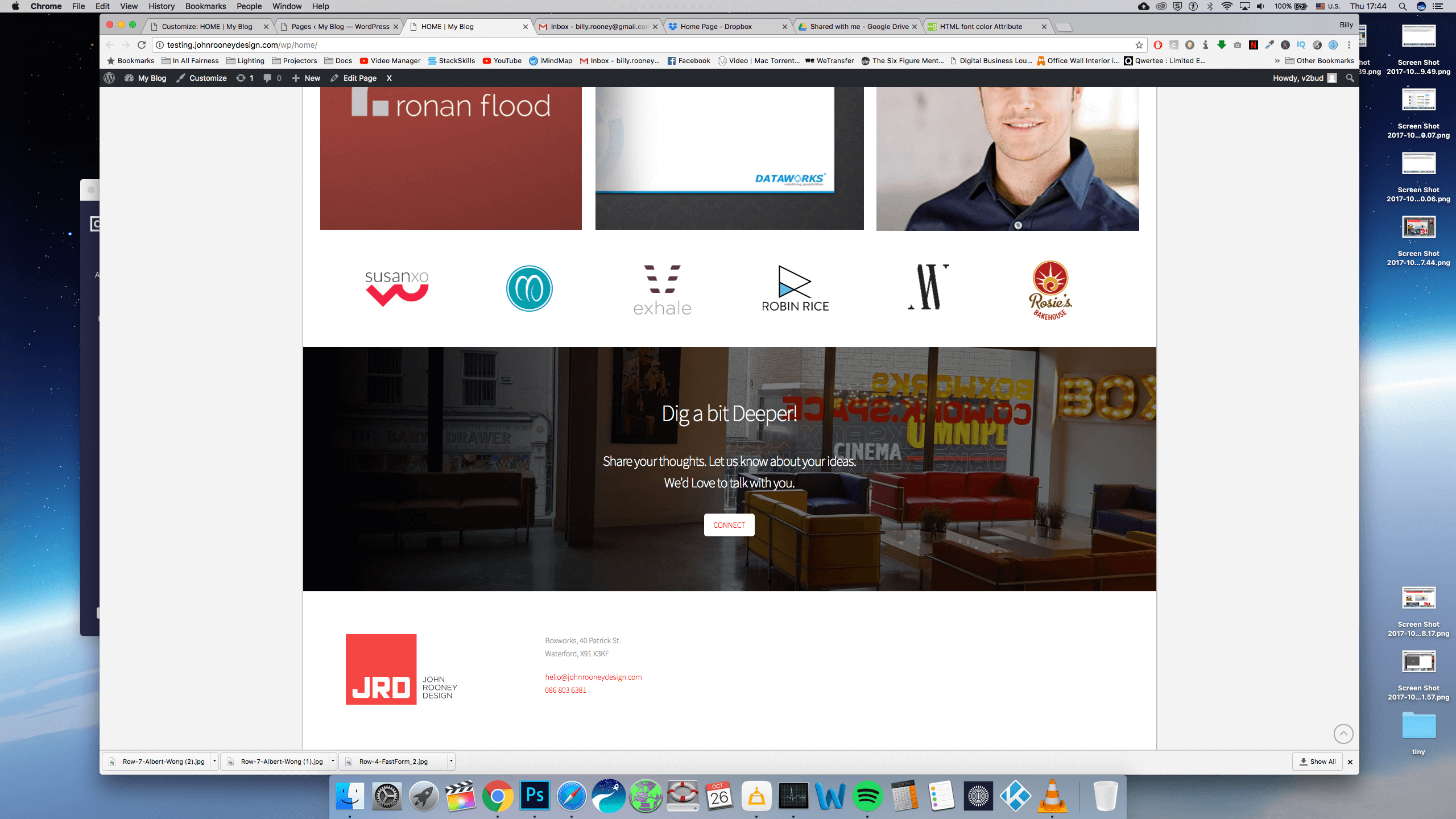
I’m looking to achieve the effect attached in the image. I would like to have an image widget on the left hand side of the footer, and a text widget on the right hand side (PSD Screen shot attached). Would you know how I would achieve this?

I set four footer widgets, and have number 1 as a image widget, and number 4 as a text widget. But the empty widget in-between have been ignored, and now they both sit right beside each other on the left hand side (Browser screen shot attached). Any suggestions?
Thanks a million!

Oh, and how can I reduce the height of the footer?

Hi There,

Thank you for writing in, please add the custom CSS below on Theme Options > CSS

@media (min-width: 768px) {
	footer.x-colophon.top .x-column.x-1-4 {
 	min-height: 1px;
	}
}

This will give your 2nd and 3rd column a minimum height so it won’t be ignored.

You can adjust the footer widget areas top and bottom padding with the custom CSS below.

/*footer widget areas top and bottom padding*/
footer.x-colophon.top {
	padding-top: 15px;
	padding-bottom: 15px;
}

Hope it helps,
Cheers!

You’re amazing, thank you so much!

Glad to hear we managed to help.

This topic was automatically closed 10 days after the last reply. New replies are no longer allowed.