Hi, see here: https://traduxa.com/ (footer)
So I want the footer to look more like the footer in this design:

So, basically, reduce the space in between the 3 widgets…
Thanks.
Hi, see here: https://traduxa.com/ (footer)
So I want the footer to look more like the footer in this design:
So, basically, reduce the space in between the 3 widgets…
Thanks.
Hi @logoglo,
I can see you are using X theme. The footer, like your header and main content container are using the width you set on THEME OPTIONS > LAYOUT and DESIGN : SITE WIDTH MAX WIDTH
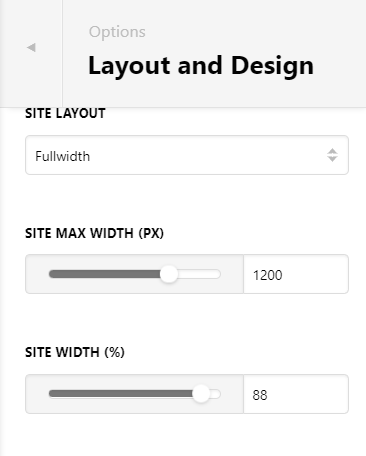
To reduce the space between your 3 widgets on footer mean decreasing the maximum width on the footer container. Since the settings will work on all containers, the option here is to use custom CSS specific for footer to override that settings for footer only and then add it on Theme Options > GLOBAL CSS
Here’s your guide on how to check element selector:
The footer widgets main container has this class .x-colophon.top. Then the container of those widgets class is .x-container.max.width
Use that 2 selector then to add maximum width, here’s your guide:
Hope this helps.
Thanks! that worked 
This topic was automatically closed 10 days after the last reply. New replies are no longer allowed.