Footer setting

Hello,

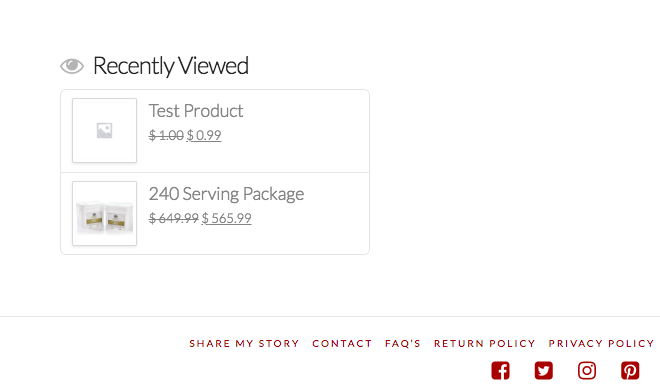
One of the options I chose for my footer is the “recently viewed” products. My settings are for 5 products.

Instead of having them go down (one below the other), how can I change the settings so they go across? I’m attaching an image of what I currently have so you get an idea of what I mean.
Thank you so much!

Hi @NadiaCrisisEquipped,

Thanks for writing in.

We could try using CSS to arrange it. Would you mind sharing us your URL so we could check your setup and we could see if the codes is the right codes.

Let us know how it goes.

Thanks.

Great, thank you!!

Yes, my url is https://crisisequipped.com

Thanks so much :slight_smile:

Hi Nadia.

I checked your site but I can’t seem to find the Recently Viewed Widget in the footer area even if I viewed some products.

But please try this code in the Global CSS:

.widget_recently_viewed_products .product_list_widget li {
    display: inline-block;
    width: 20%;
}

You can find more info on how to check for CSS selectors here.
Then information about writing your custom CSS here.

Hope this helps.

Hi Jade,

Thank you so much!! I added that code and it worked. Then I checked my site on a different browser, clicked on the test products and they show up on the footer next to each other. Everything looks good to me!

Thanks for your help!

Glad we could help,

Cheers!

This topic was automatically closed 10 days after the last reply. New replies are no longer allowed.