Hi, on my website www.cleliamattana.com (mobile version) my footer is completely out of center. I tried to play with the settings but I couldn’t find the right one to fix this. Can you help? PS, on laptop, it looks ok but I can only say on my computer. Not sure about other screens.
Thanks!
Hi @klelietta,
Thanks for reaching out.
To center the content of your footer, go to your Bar Container Option.
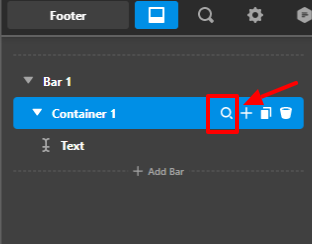
Then In the flexbox section, select Align Horizontal as center because currently yours was set to Space Between.

Hope that helps.
Thank you.
Hi, I tried and it doesn’t work. Can you take a look at it? Also the image with the Amazon logo is complete off center.
Thanks
Hi @klelietta,
It seems that the margin for the image element and width for the contact form is the reason behind your issue. I would suggest to update the margin to 0 auto and set the width of the form 270px and padding into 30px 0.
Please find the screenshot explaining it.


Hope it helps.
Thanks
This topic was automatically closed 10 days after the last reply. New replies are no longer allowed.