Hi there,
i need a help to change footer links to white color and also need to remove the widget menu lines in site footer.
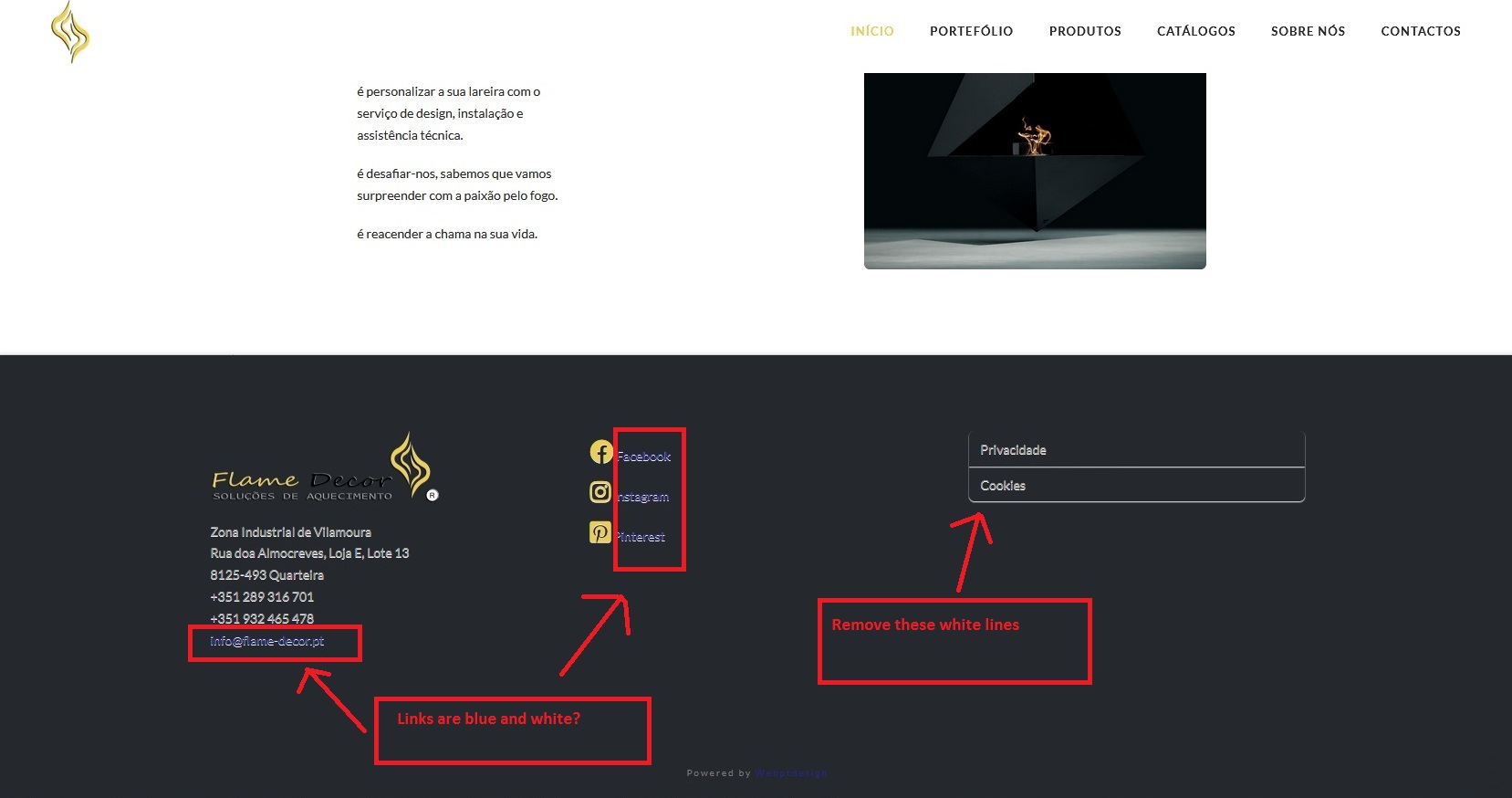
Hi there,
i need a help to change footer links to white color and also need to remove the widget menu lines in site footer.
Hi @jlampreia,
Please check the following guide on how to do it:
Custom CSS can be added on Theme Options > Global CSS
See this : https://screencast-o-matic.com/watch/cqltlGvq6c
footer.x-colophon.top a {
    color: #fff !important;
}
.widget_nav_menu ul li a:hover, .widget_meta ul li a:hover, .widget_pages ul li a:hover {
    background-color: transparent;
}
.widget_nav_menu ul {
    border: 0;
    box-shadow: none;
}
Hope this helps.
Thank you for your help Lely,
it´s better now, but i can´t find a way to remove the white line between the “Cookies” and “Privacidade”, and i need to align social icons horizontaly.
I tried to inspect the elements but no success.
Hello @jlampreia,
To remove the line between Cookies and Privacidade, please make use of this code:
.widget_nav_menu ul li a,
.widget_meta ul li a,
.widget_pages ul li a {
    border: none;
    box-shadow: none;
}
Kindly let us know if this has worked for you.
Hi RueNel,
yes it works, it´s perfect, thank you.
Happy New Year.
You’re most welcome,
Cheers!
This topic was automatically closed 10 days after the last reply. New replies are no longer allowed.