Footer elements not displaying

Hello.

I am trying to use the map element (either through API or embed) in my footer, however, as soon as I add it, the container reverts to it’s minimum width. I have tried adding the same element to a container that I know is working and the same thing happens.

I then tried to add it via a Global Block but the Global Block had the same result.

I have deactivated all plugins but that did not work either.

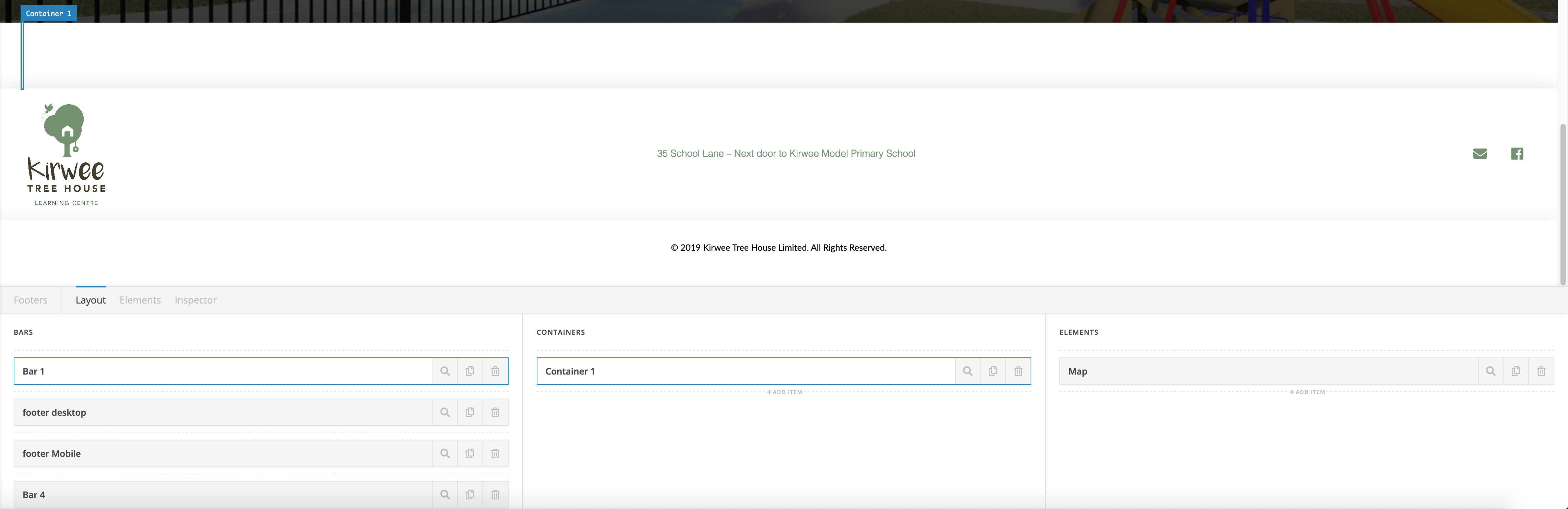
You can see in the screenshot that when I hover over the container, the highlight is tiny. The site is located at https://kirweetreehouse.co.nz
Hi Kelly,

Please make sure Google Map Api is set correctly. I cannot see the issue on the frontend but that is probably related to API. For us to check further, please share credentials, and the map element information inside a secure note. Also note to set up API.

Hello. The map API is working fine because it works in the Global Block creator. The problem occurs when the Global block or the Map element is used in the footer. I will send login credentials into the site in a secure note.

Hello Kelly,

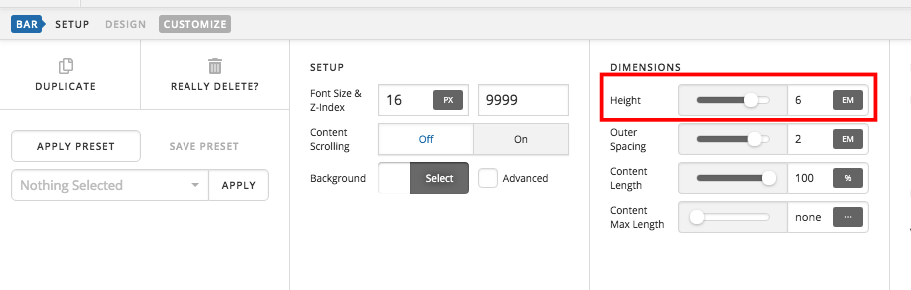
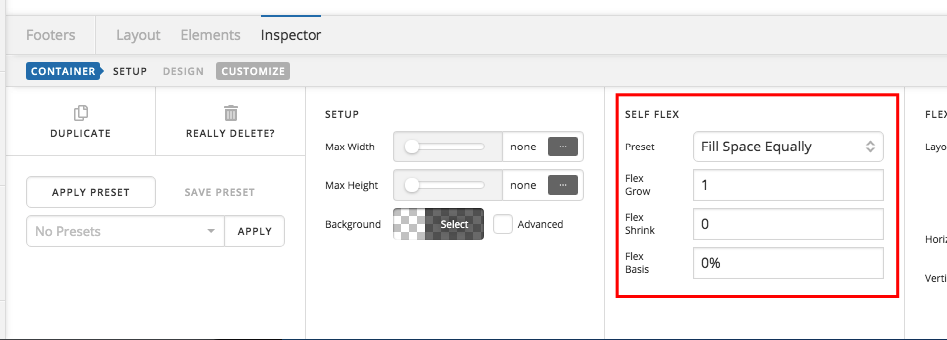
You will need to edit the height of your bar to “auto” and then make sure that the self flex si set to “Fill Space Equally”.

Please check your footer now.

That is awesome thank you. All working now.

We are delighted to assist you with this.

Cheers!

This topic was automatically closed 10 days after the last reply. New replies are no longer allowed.