Footer edit help

Hello my favourite forum in the world, I was wondering if you could help me get rid of this double footer problem:

Uploading…

I just want the bottom panel, with the text, but for some reason there is another panel above it? (Both black) It’s causing my footer to look much bigger than needed.

How do I got rid of that top footer panel? Thank you :slight_smile:

www.perfectstatement.co.uk

PS: how do I change the footer colour?
Hey Andrew,

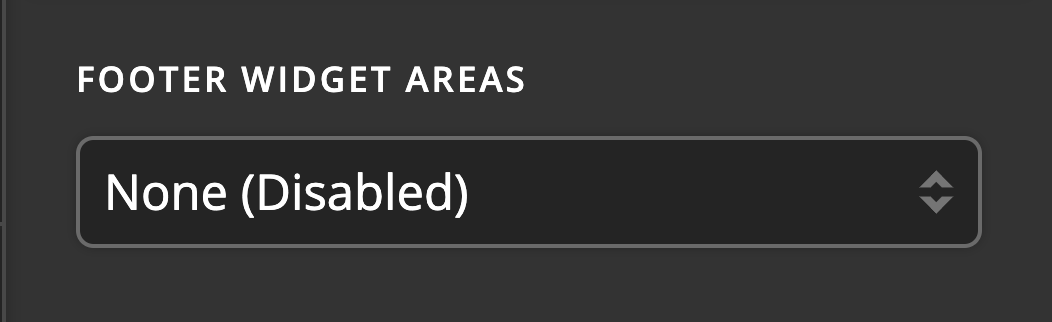
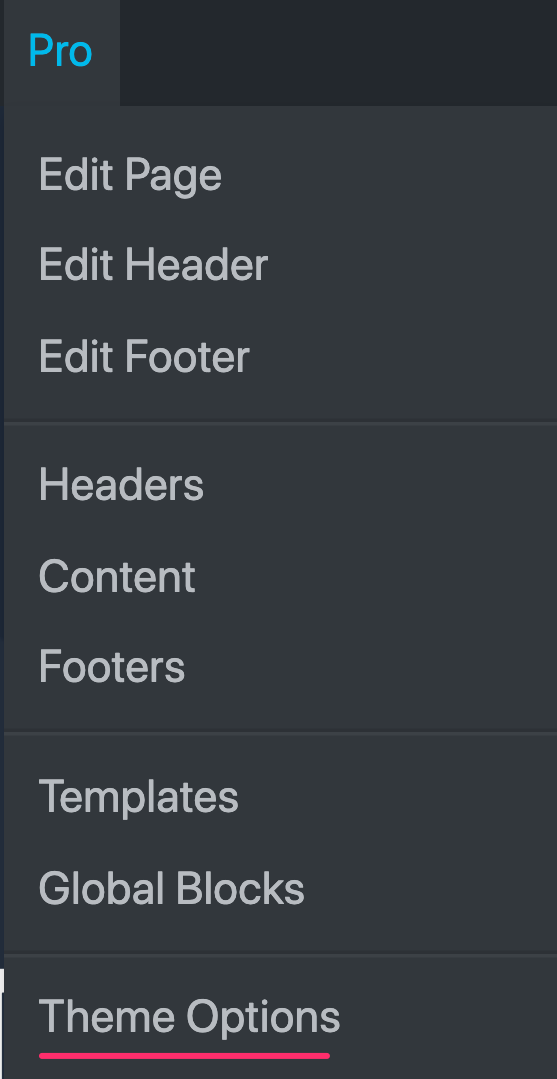
Please go to X/Pro > Theme Options > Footer then set the Footer Widget Areas to None (Disabled).

You can do it through custom CSS. Please try this code in X > Theme Options > CSS:

.x-colophon+.x-colophon {
    border: 0;
    background-color: blue;
}

.x-colophon .x-social-global a {
    color: blue;
}

.x-colophon.bottom .x-colophon-content p, 
.x-colophon.bottom .x-colophon-content p a {
    color: lightblue;
}

Please change the color values in the code above.

Hope this helps.

Another phenomenally clear response - thanks so much!!!

You are most welcome. :slight_smile:

This topic was automatically closed 10 days after the last reply. New replies are no longer allowed.