Footer Border & Width

http://websozo.com/markanthonydev/

I am trying to get a black border and width like the body copy area. This client wants a true ‘old-school’ look with the boxed layout. Please help me get this desired result at the bottom.

See picture here: https://drive.google.com/file/d/1MrjmK69c7Re6KEHz9Cq9QOpbN2-Obbjs/view?usp=sharing

Hi There,

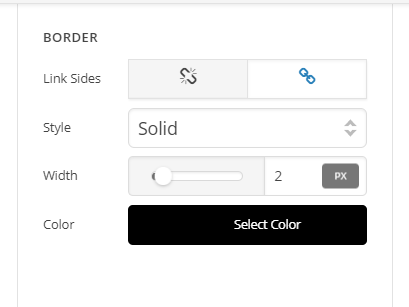
Thanks for writing in! Just inspect your footer bars using Footer Builder and set the border for each bar (see screenshots)

You can adjust the width as per your need.

Hope this helps!

Thanks. I am familiar with that setting, but that creates a border on the full width of the bar. I’m trying to get it to match the body width, as shown in the picture. On wide screens I don’t want the footer to extend to the full width, only 950 or 900.

Hello There,

If you want to control the width in your footer, please click the bar container and not the bar settings.
Click the bar container, set the maximum width to 900 and make sure that the margin left and right is set to auto so that the bar container will be at the center of the page.

Hope this helps.

This topic was automatically closed 10 days after the last reply. New replies are no longer allowed.