Hi!
Could you please tell me how I would be able to move my social media container in bar 3, above to bar 2, so it will appear as is but right under the fax number?
Hi!
Could you please tell me how I would be able to move my social media container in bar 3, above to bar 2, so it will appear as is but right under the fax number?
Hi @Nalwi,
Thanks for reaching out.
You can add the social elements into that specific container directly, but there might be a problem with the positioning of the social icons as the container has been set with column flex-direction, so the icon will come in a different line.
I would suggest you create a global block with the social icons, and call that specific global blocks in the container. I have tried the same in the local environment and it works, please find the screenshot.
Here you can learn how to create a Global Blocks and use it as shortcode.
Hope it helps.
Thanks
Hi, thanks for your reply. I have tried this method and it works, but it doesn’t look the same as how I’ve designed it in the global blocks.
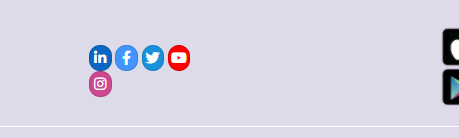
It’s supposed to look like this

but instead, it looks like this
Hello @Nalwi,
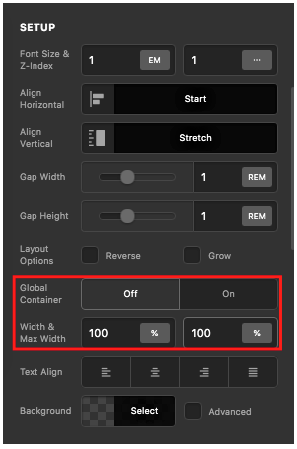
Kindly check your global block and in your row settings, make sure that you turn OFF the global container and set the width to 100%.
If nothing is helping, please provide us the URL of the page where we can find your global block.
Best Regards.
I’ve followed the instructions, but it’s still the same. I have shared the link in a secure note. it is located in the footer
Yup that works perfectly, thank you!
This topic was automatically closed 10 days after the last reply. New replies are no longer allowed.


