Fonts not reducing based on viewer size

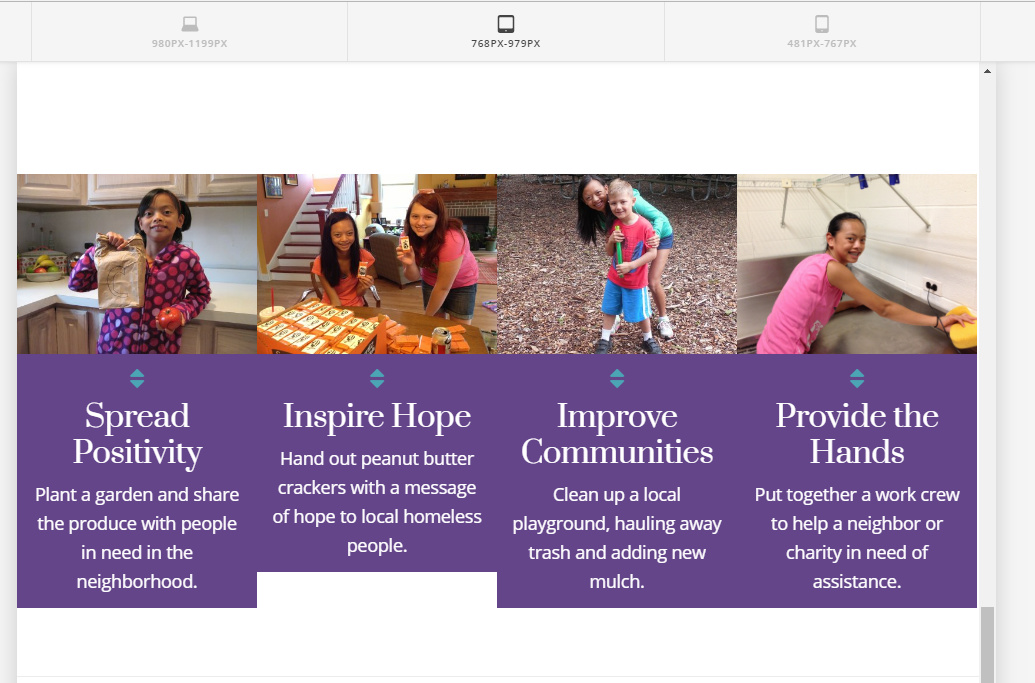
I have the fonts set to reduce at smaller sizes which will help so that these cards appear even and break the same way but the text appears the same size whether you view it on the largest setting or the two smaller settings - the smallest mobile size seems to work. see attached.
Hi,

Thanks for writing in! To assist you with this issue, we’ll first need you to provide us with your URL. This is to ensure that we can provide you with a tailored answer to your situation.

Thank you.

Hi There,

Thank you for the URL, please add Responsive Text settings on your Card elements, use the following classes as the Responsive Text Settings selector. .x-face-title for the card’s title and .x-face-text for the card’s content.

Play with the compression, min-size and max-size until you get the desired look.

Hope it helps,
Cheers!

I’m sorry but I am not following. Wasn’t font size set in the customizer settings for responsiveness? Where do i put these responsive text settings and how do i specify them for screen size?

Hi There,

Yes, the root font size on the customizer is for responsive, but there will be a case like what you’re dealing now where the headers are just too big/lengthy for its container (card elements).

So you need to have a Responsive Text Settings for this kind of scenario. You can add a Responsive Text setting on the Page settings (gear icon)

Play with the compression, min-size, and max-size until you get the desired look.

Cheers!

can you give me an example of the stylesheet code i would use? im sorry but i dont know how to “play” with the settings-

Hey There,

You must apply responsive text and manage it in Settings > Responsive Text. To know more about responsive text, please check it from our knowledge base here:
https://community.theme.co/kb/shortcode-walkthrough-responsive-text/
http://demo.theme.co/integrity-1/shortcodes/responsive-text/

No css code is required. Just set compression, minimum font size and maximum font size to get the desired font size. Please keep in mind that the font size will be computed related to the width of the container.

Hoe this helps.

This topic was automatically closed 10 days after the last reply. New replies are no longer allowed.