Fonts not listed in options page

I recently updated to Pro 3.0.2, On WP-Engine host with latest WP 3.5.2.
I have flushed all caches.

I am noticing that some fonts were not loading.

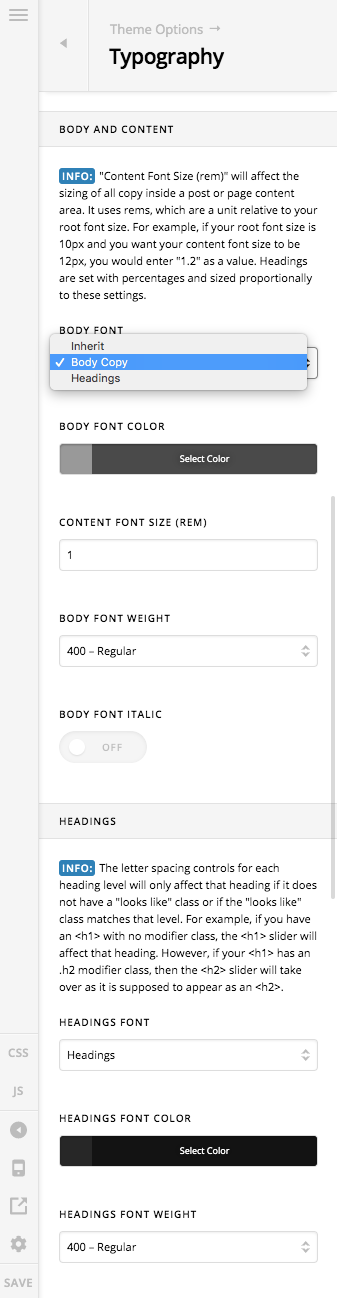
If I go to theme options I see that, body copy and heading are show in the dropdown instead of the Google Fonts. These are the names that I have given the Font Manager. But I have Font Manager off in the typography section.
Hi @designerken,

Thank you for writing in, I just tested this on my end and I can’t replicate it. Try turning on and off again the Font Manager in Theme Options > Typography.

If that did not work, please do testing for a plugin conflict. You can do this by deactivating all third party plugins, and seeing if the problem remains. If it’s fixed, you’ll know a plugin caused the problem, and you can narrow down which one by reactivating them one at a time.

Let us know how it goes,
Cheers!

Toggling the Font Manager cleared whatever was happening, thanks for confirming.

Cool, have a nice day.

Cheers!

This topic was automatically closed 10 days after the last reply. New replies are no longer allowed.