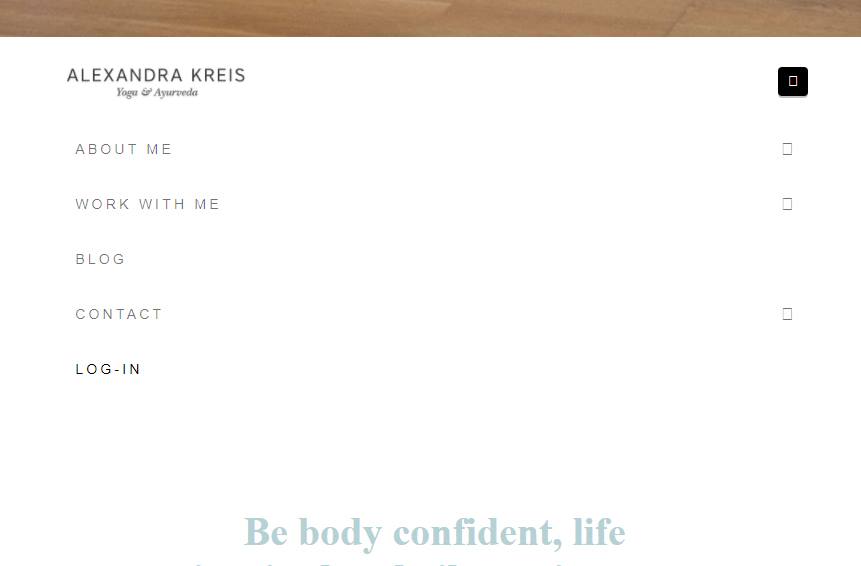
Hi there! I have a problem that I don’t encounter on my devices but have now gotten numerous screenshots from tests. There is a display problem of font awesome icons in the main menu in chrome on windows and android. BUT … only on the starting page.
also a display error of h2 which I embedded with a third party plug-in by myfonts. Funny thing, h1, h3 and so forth are also embedded in it but are showing correctly?!? As you can see in the screenshot, the fonts in the menu are correct, but the hamburger and arrows are not showing, the green color font is not showing correctly. should be a baskerville. All fonts are licensed also showing on other devices…
fun fact: the display problem of the fonts is ONLY on the starting page.
////* EDIT : Apparently fixed iit with the
jQuery.fn.redraw = function() {
return this.hide(0, function(){jQuery(this).show()});
};
jQuery(document).ready(function() {
jQuery(‘body’).redraw();
});
