Font Awesome - Again

Hi there

Having read through all the threads on this I am still unable to get this working at all.

I want to use specific icons seperately (standalone) as I want to add text underneth but whatever I put in does not show on the edit page or live. ie

Which is from the font awsome 5 icon list.

Can you just give me an example of the code that I need to use to get an icon which is larger x2 so that I can try it. If I put in any code it does not show up whilst editing or live - whatever I put in.

Everything worked fine before the updates so I guess it is because of this but I would like to know how I can use icons both stand alone and alongside text without have to use an icon list element.

Many thanks.
Hi There,

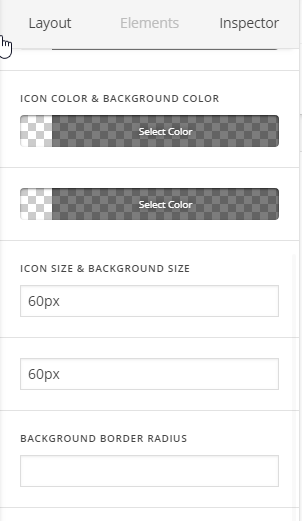
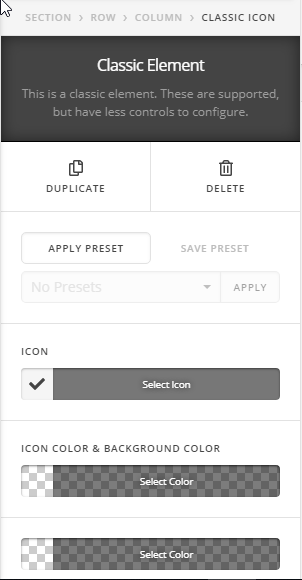
You can use the classic icon element then set the font & background size:

Or use the icon shortcode from this page: http://demo.theme.co/integrity-1/shortcodes/icons/

For example: [x_icon type="thumbs-o-up" style="font-size: 48px;"]

Hope it helps :slight_smile:

Hi Thai

Thank you for your response. Does that mean we cannot use the fonts on font awesome website just what X has included?

The problem is that the code just puts in a black icon and before the colour would be picked up from your theme settings plus you could add animation.

Also the x ones are all very clumpy looking!

Kind regards

Hello There,

To avoid any conflicts, we have created a unique namespace for font awesome in X theme. The only way you can use font awesome is by utilizing the icon shortcode or the icon element when using Cornerstone/Pro editor. If you want to the stand alone font awesome then you will have to follow this instead: https://fontawesome.com/how-to-use/on-the-web/setup/getting-started?using=web-fonts-with-css

Hope this helps.

This topic was automatically closed 10 days after the last reply. New replies are no longer allowed.