Floating div has no content to the left - Integrity Stack

I’m using the Integrity stack.

I am trying to float an image to the right of a table but the image floats by itself with nothing on the left. What CSS is making this happen?

The code is like:

<div class="e350-4 x-bar-content-area tow-content" > <h1>My Header</h1> <div style='float:right; margin-left:10px; margin-top:4px;'><img src='/images/MyImage.png' alt="Floated Image"/></div><table > <tr><td>Contact:</td><td>Person Name</td></tr> <tr><td>Address:</td><td>Street Address<br /> PO Box ###<br /> Town, State #####</td></tr> <tr><td>Phone:</td><td>xxx-xxx-xxx</td></tr> <tr><td>Email:</td><td>[email protected]</a></td></tr> <tr><td>Hours:</td><td>8:00 AM to 1:00 PM Mon/Tue/Thu</td></tr> </table> </div>
Hi @solarwoods,

Thank you for reaching out to us. I checked your HTML markup and you’ve an inline styling which is floating your image to the right, please find and remove the following inline styling:

style='float:right; margin-left:10px; margin-top:4px;

In your case you can follow this thread https://stackoverflow.com/questions/14816664/how-can-i-display-an-image-and-a-table-side-by-side

Hope this helps!

Nabeel,

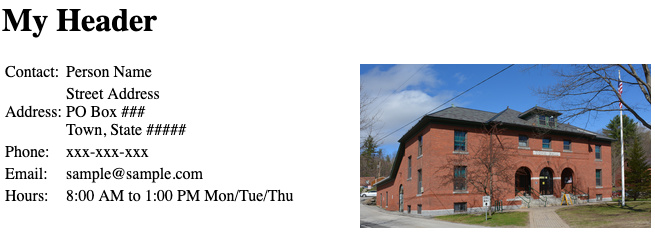
The float is intended. I want a column of text on the left and the image floated on the right. I could just create a two column table as a workaround. I prefer the float though. Below is what I was expecting to see:

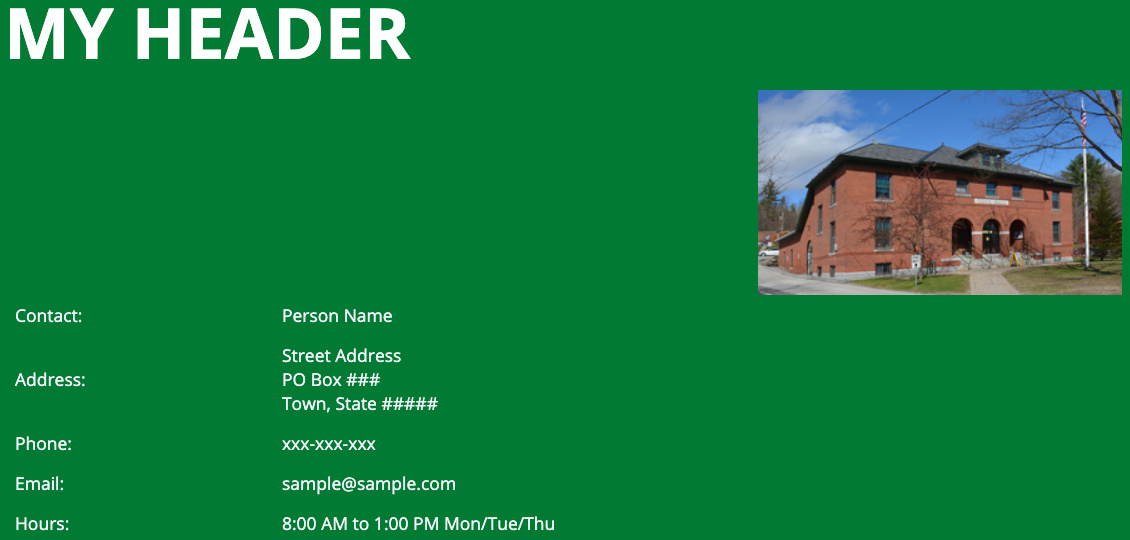
Instead of the above layout, I’m seeing:

Hi @solarwoods,

Thank you for the clarification, that is happening because the table is taking a 100% width of its container.

To resolve that, please add this to Theme Options > CSS

.tow-content table {
	width: auto;
}

Hope it helps,
Cheers!

That works perfectly! Thank you!!

We are delighted to assist you with this.

Cheers!

This topic was automatically closed 10 days after the last reply. New replies are no longer allowed.