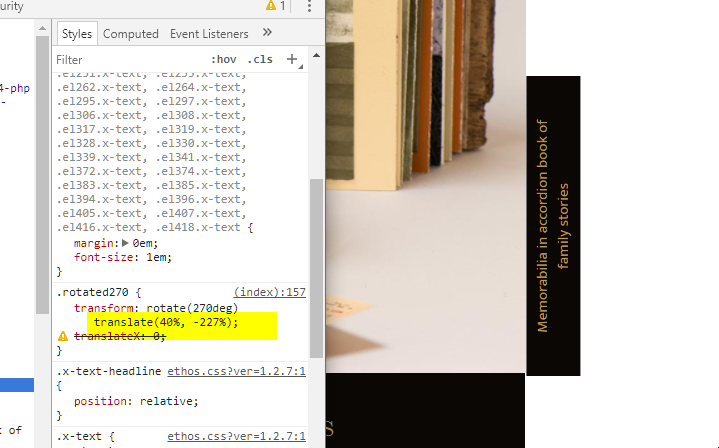
I would like a rotated headline to be aligned to the bottom left of the column immediately to the right of the photo for Family Stories.
I have rotated the text using the following CSS class in global CSS:
.rotated270 {
transform: rotate(270deg);
}
The column for the headline has no padding, and text is aligned left. The flex layout options don’t seem to make any difference (whether the headline is rotated or not). I would like the rotated headline to be aligned to the bottom left of the column.
Also I would like the text for the rotated headline to be on one line if there is room in the column. I have tried width 100% and auto, but the text keeps wrapping to a second line.