Filtered Archive Layout

Hi, I have downloaded your Filetered Archive Layout and I try to use it on one of my archives, but I cannot make it work.
I already have some Archive Layouts created in Cornerstone and assigned to different terms. There are tags for languages and categories. So I would like to add a filter with categories to the language archive as on this example:
https://dharmaebooks.org/tag/polski/

Of cource, I have chaged a few things, like that filter is now placed in an accordion, and I will exclude a few categories from the list. But I cannot figure out why it doesn’t work. I have watched the video a few time and tried to do it from the scratch, now used your precomposed filter layout.

Any clues?

Thank you!
Beata
Hey Beata,

Please check if you have a Looper Provider enabled in your post listing. If that doesn’t help, please provide us with WordPress Login URL and Admin username and password in a Secure Note and we’ll check your setup.

Thanks.

Sorry, I still don’t know what to do. I have added the note. I would appreciate some help.

Hey @tashitendrel,

We cannot login to your admin. It is blocked (see screenshot in the secure note).

I’m so sorry. Here it is:
https://dharmaebooks.org/wp-login.php/wildlotus

That still doesn work.

But I have just logged in with this link and credencials given in the note…

Hey @tashitendrel,

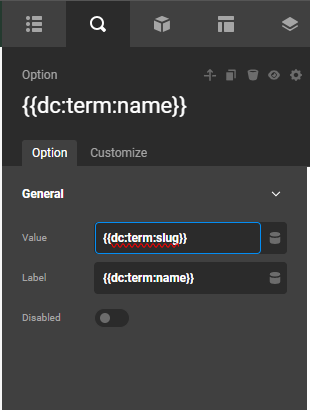
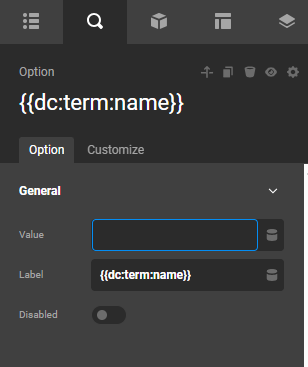
It turns out that the Category option in your form has no value:
image

It should have {{dc:term:slug}}
image

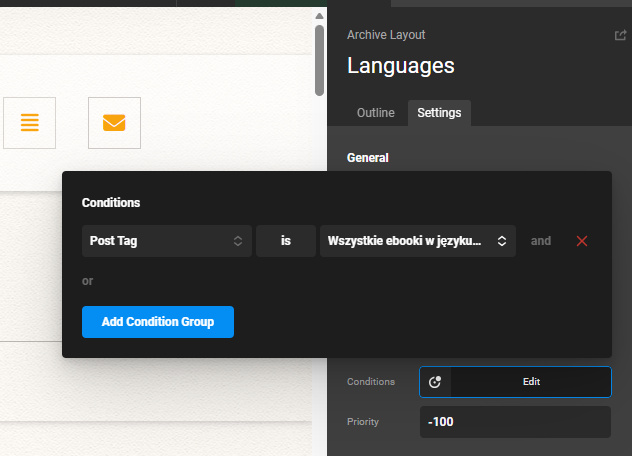
By the way, I am just confused because your layout is assigned to only display when the post tag is [see the screenshot below]
image

I would recommend assigning this layout to your blog index, a category, or a tag archive page.

Best Regards.

Thank you, but I still must be doing it wrong.

I can see that the call is being made: https://dharmaebooks.org/tag/polski/?category_name=guru&cs-form-id=filtering
but the results in Posts don’t change. Maybe the assignment is still wrong, but this seemed to be the only one that works.


I have attached screenshots with the current settings.

Hey @tashitendrel,

Could you check this archive page if this have displayed the correct items?

I would highly recommend that you create an archive layout for a category page so we can test it as well.

Thanks.

Hi, I can sum up the results for now:

  1. Yes, this is kind of a list of correct results for this tag and category.
  2. The problem is that this list of categories shows up now on all the archive layouts globaly. I can see that the assignment of the testing layout Languages was changed to Blog or Post tag, and the filter doesn’t work with a different assignment. This is a bit problematic, however it could work for me, if I make 2 filters: one with categories and one with chosen tags. However, in such case it would be good if the tag/category the archive layout is assigned to is being checked (or even fixed) by default. This way readers could chose options only for that one categore/tag. Would it be possible to do it?
  3. Currently ‘Languages’ is aasigned for this archive (and blog…): https://dharmaebooks.org/tag/polski/
    Some results show up correctly and some are not.
  • why you choce Philosophy, which a regular category, the result is correct, but the icon shows up as well, and it is supposed to show up only when there are no results
  • chosing Dharma Practice category doesnt give any results, but it has the biggest number of posts and some subcategories as well. I have removed most of those subcategories from the list, because they don’t work (one of them is Tara – on the list now).
    – there is another subcategory on the list now – Preliminaries – and this one works, but it also shows an icon…
  • also, when I chose which shouldn’t show any results, because it has nothing published in this language (tag), it doesn’t work and should show an icon…

All other categories strangly show correct results. I have also removed Value from Any.

  1. I have made a new Archive Layout for category called ‘Teachings - test’ (by clonning the Languages archive) and I have changed the filtering list to some tags instead. Then I have changed the assignment to the similar as ‘Languages’ had, but it doesn’t work… It should be here: https://dharmaebooks.org/category/teachings/

Hey @tashitendrel,

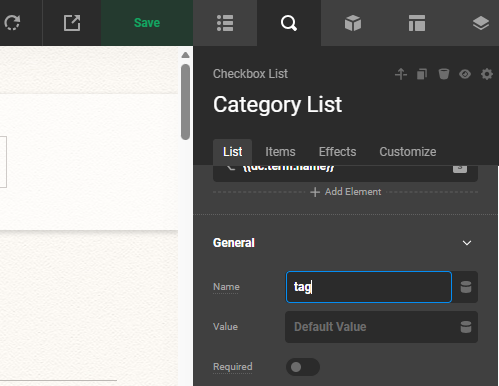
In the Teachings layout, the field name should be “tag”:
image

I am just not sure if the items here: https://dharmaebooks.org/category/teachings/?tag=polski&cs-form-id=filtering

is the same as what we have here: https://dharmaebooks.org/tag/polski/?category_name=teachings

Thanks.

Screenshot 2026-03-21 at 18.41.10

Thank you. it all helps. I have now combined the 2 filters: categories and tags and set it globally. It works quite well… :slight_smile:
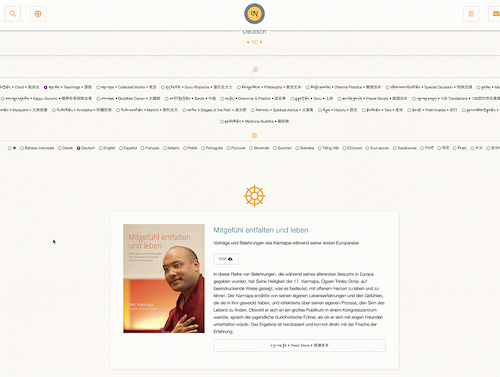
The only think I cannot figure out is why in case of some results I can see the icon, which is supposed to show only when there are no results. I have attached a screenshot and you can also test it on the above links.
I can see that it happenes only when the filter shows only 1 result. But again - not always. … I have cleared all the cashes and Cornerstone system cache.
The archive is now called Global-test, in case you want to check it again.

Thank you!
Beata

Hey Beata,

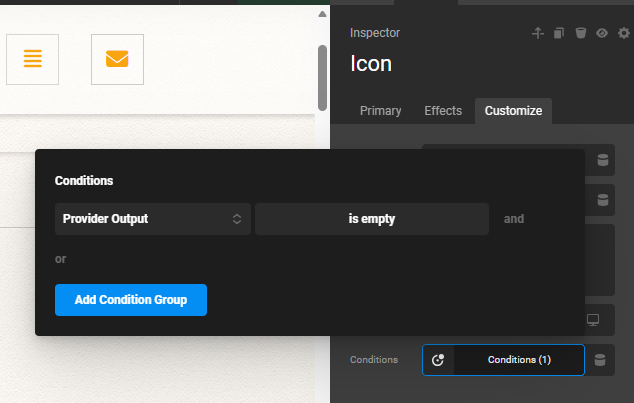
Remove the “Has Post” condition and replace it with “Provider Output”. You also need to change the condition of any other elements using “Has Post”.

image

Thanks.

Ufortunatelly, as a result both post and icon are not showing up… So with ‘Has Post’ I can see both of them and with ‘Provider Output’ I see none of them. and this applies to those same cases. I even checked if there is anything different about these posts, but can’t see anything.

Also, I tried to change an order of Posts and Icon in the ‘posts’ column, and this is also resulting with neither showing up… I don’t know how the order of them makes any difference.

There is also another, bigger problem I have discovered now. On the list of posts the newest post is ommited. This is an example:


The number of posts is correctly showing: 5, and the only 4 of them are on the list below. The newest one is gone.
I wonder if this one and issue mentioned earlier, which keeps persisting, are connected…