Few issues with x-theme

Hi,

I have few issues Iõve been unable to resolve by myself or via search in this forum.

The site is tallinn-industrial.com

  1. How to fix the topbar and logobar? I’ve tried few different CSS codes from this forum but all of them mess up the header.
  2. How to remove the two lines before and after logobar?
  3. How to remove the line above the menu when hovering over an item?
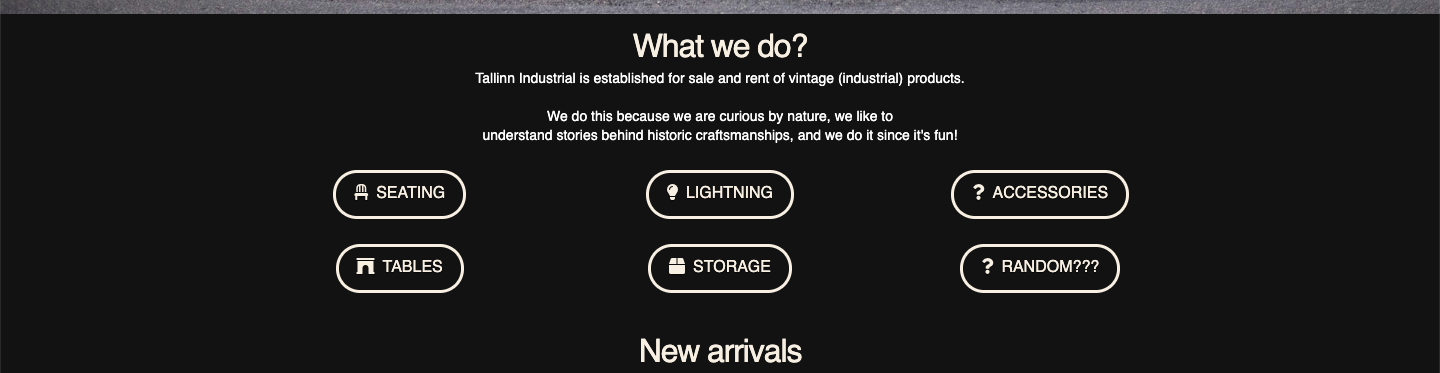
  4. The buttons in the middle of the page are not centered in any browser - even though they should be centered according to the settings. Instead, they still keep to the left.

Best wishes,

Hi @ArdoH,

Unfortunately, your site MAINTENANCE mode is on. I cannot see the issue and please describe clearly what you are trying to do so we can give specific recommendation

Try adding this custom CSS on Theme Options > Global CSS. This is a general CSS for normal menu structure. If you don’t have any customization, this should work

.x-navbar .desktop .x-nav > li > a:hover {
    box-shadow: none;
}

2 and 4
We need to see the actual page. Please share credentials inside a secure note:

Hi,

thank you for the quick reply!

I’ve removed the maintenance mode and added a secure not.

Hello Ardoh,

Thanks for updating the thread. :slight_smile:

Please add following CSS under X > Theme Options > CSS:

.x-logobar {
    border-bottom: 0;
}

.x-topbar {
    border-bottom: 0;
}

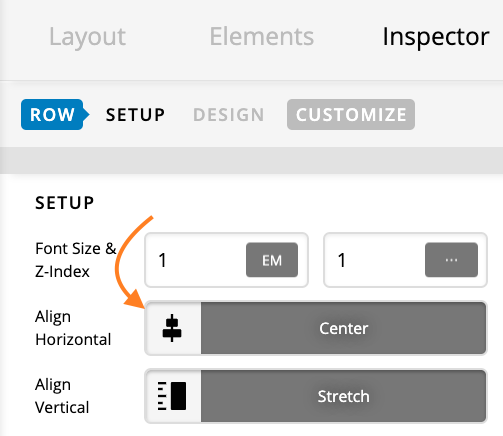
I inspected the Row settings and under Setup > Align Horizontal, I selected Center and now buttons are center aligned.

Thanks.

This topic was automatically closed 10 days after the last reply. New replies are no longer allowed.