Feature Question

On our homepage, under “A TOTAL SOLUTION FROM 1 TRUSTED PARTNER” is there a way to make the flippable items automatically flip?

Also, under our home page, on mobile, the 6 elements under “THE BENEFITS ARE ENDLESS, BUT HERE ARE A FEW:” aren’t spaced uniformly, how can I correct that?
Hey Mary,

Regretfully, it’s not possible to flip the cards automatically. That would require custom development which we regretfully don’t have a service for. You will need to enlist help from a third party developer to modify the element.

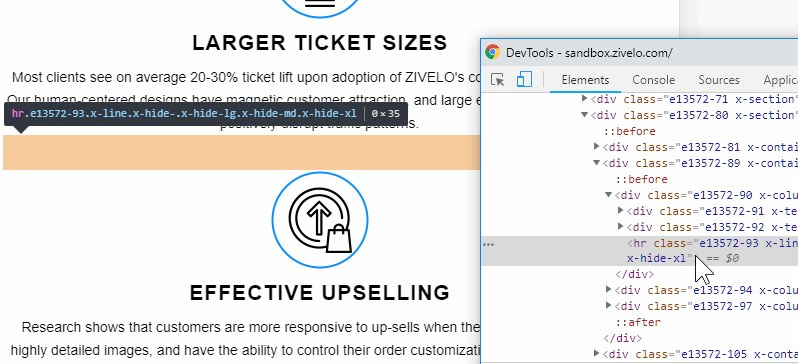
Regarding the space, you will need to add a Gap element like what you have below the “LARGER TICKET SIZES” text description.

Thanks.

In the pro editor there is no gap element between anything in that section. So should I ad gaps to all of the section’s items, or do recommend something else?

And, if there is no way to automatically flip the cards, is there a way to indicate that they can be flipped?

Hello Mary,

The gap is not visible in the editor because it will only be displayed in smaller screens. You have utilized the “Hide During Breakpoint” option in the line settings. You can use the skeleton mode to edit the page for faster response and easy access of the gap elements on the preview area.

Regretfully there is no way to automatically flip the cards. The flip event were triggered when you hover over the card. I would recommend that you edit the images of the cards using Photoshop and add an icon that would somehow indicates that it can be flipped.

Hope this helps.

That was helpful, thank you.

Glad we could help.

Cheers!

This topic was automatically closed 10 days after the last reply. New replies are no longer allowed.