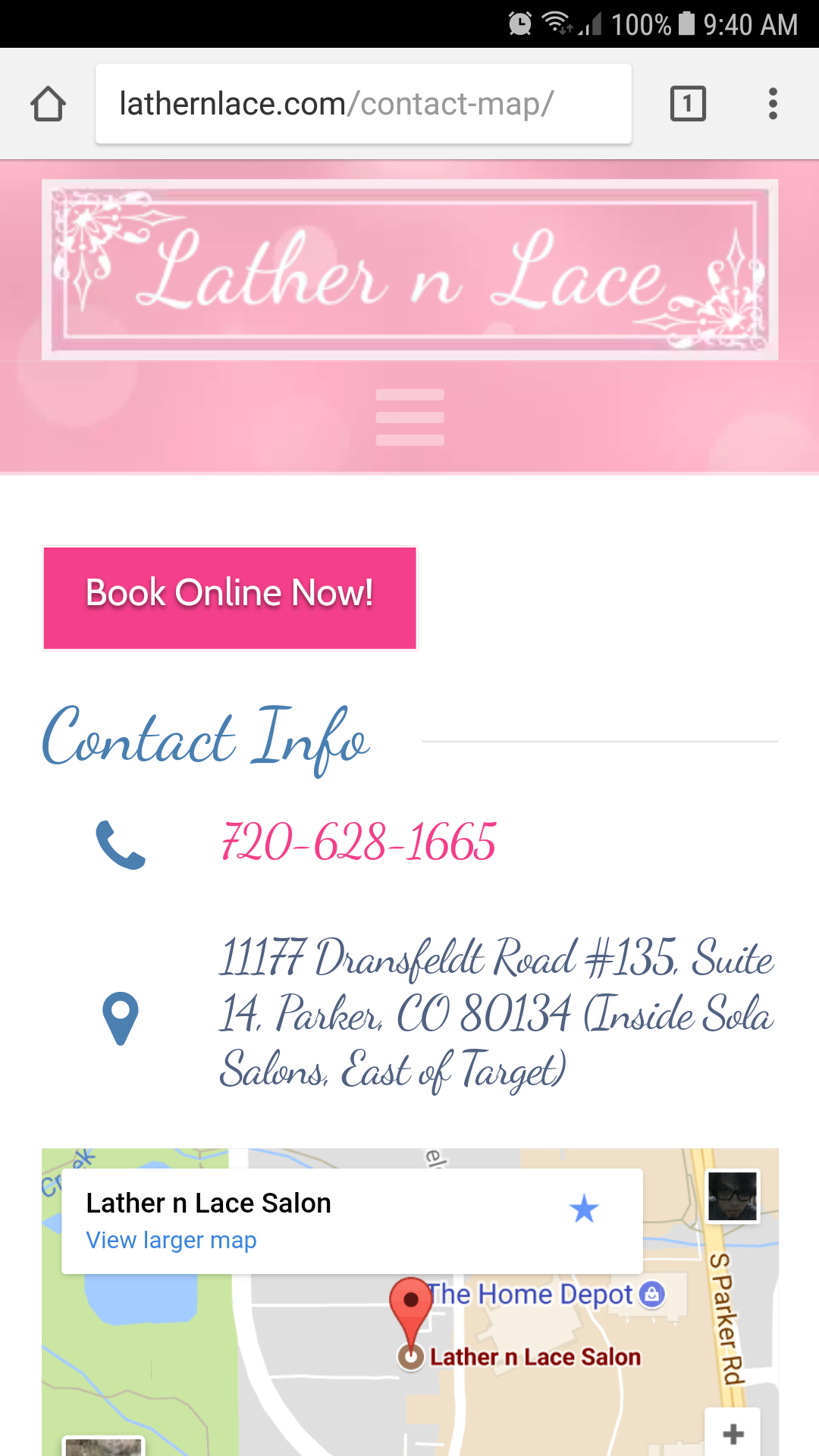
Hi. I know several others have posted about this problem, but I haven’t found a solution to the problem by reading their posts. Also, I wanted the support team to be aware that I am also having a problem with Feature Lists since the last update. Like others who have posted, I am seeing the icon on Feature Lists displayed above the text instead of to the left of the text as it should be when Cornerstone version 2.1.4 is installed.
There is a slight wrinkle to the problem I’m seeing, though. The Feature Lists are displaying correctly on my desktop computer using both the Firefox browser and the Chrome browser but are displaying incorrectly on my Android phone.
Please note that I have already ensured that I have the latest version of both X and Cornerstone installed and have cleared WPSupercache’s cache, my phone’s browser cache, Firefox’s cache, and Chrome’s cache, but I am still seeing the problem on my phone but not anywhere else.
I was seeing the problem on all my websites that use a Feature List and always only on my phone. I am currently working around the problem on all but one of my websites by using Cornerstone version 2.1.3. The Feature Lists work correctly on all my devices when I use version 2.1.3 instead of 2.1.4.
The one website page where I left the problem in place is http://lathernlace.com/contact-map/. Once again, I only see this problem on my phone, so if it loads correctly on your device, don’t assume that there is no problem.
With so many users having issues with Feature Lists since the update, this problem needs to receive attention from the theme developers. I noticed in the Changelog that there was a bug fix for “Feature list connector improperly displaying on large screens.” Perhaps the fix for large screens somehow introduced a bug for small screens.
Thanks in advance for your help with this issue.
–Darlene