Hello. Using the Feature Box Element and I’m looking to put more spacing between the “Icon” and the “Title” as well as between the “Title” and the “Title & Content” fields. Any help would be appreciated.
Hi,
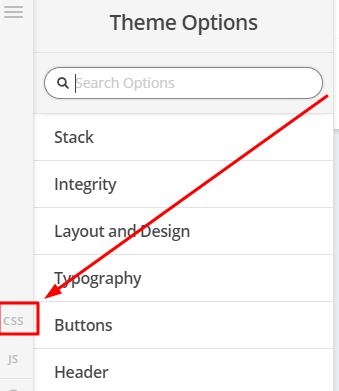
To achieve that, add the code below in Theme Options > CSS
.x-feature-box-graphic {
   margin-bottom:20px;
}

.x-feature-box-text {
   margin-top:20px;
}
Change 20px to adjust.
Here are some related links for further reading:
Intro to CSS - https://goo.gl/mFuWQT
How to get CSS selectors - https://goo.gl/BmoH39
Get Started With Viewing And Changing CSS - https://goo.gl/7xFhDa
Hope that helps
Perfect! Thank you so much for your help.
Would you be able to tell me how to put the Feature Box Title in Bold?
Great! Thank you again. Amazing support!
We are delighted to assist you with this.
Cheers!
This topic was automatically closed 10 days after the last reply. New replies are no longer allowed.