Feature box not selecting on CS!

Hi
I am not really sure how, but one of the Sections is not letting me access the feature box to modify it.

This is normal behavior on the same page, different section
https://www.screencast.com/t/4KTV0EWi2

This the bad section;
https://www.screencast.com/t/w15Atddr

I am not sure if it has to do with that graphic that overlaps the two sections?

login credentials to follow
Hi There,

Thank you for the clip and credentials but you have a lot of pages in there. Would you mind giving us the direct link where we can see the problematic Feature box?

In the meantime, please update your X to version 5.1.1 and clear and deactivate your caching plugin while we troubleshoot this issue.

Cheers!

Hello
regarding the link; how do i repply to you rpost on a secure note? This apex interface is confusing

Also
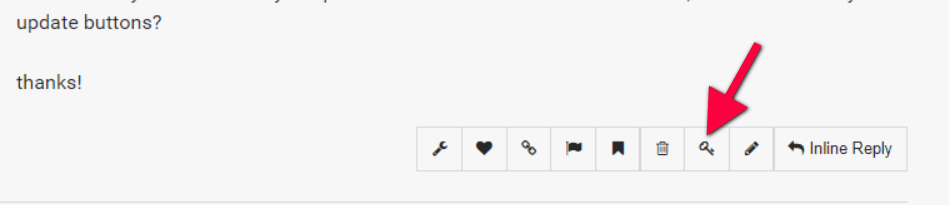
hi is there any automated way to update the x version? I do see i am behind, but i don’t see any update buttons?

thanks!

Hi there,

Please see the screenshot for reference.

Hi There,

Its the z-index: -1; on Jist icons section is causing the issue, but if you really need that inline style. You can access those feature box elements via skeleton view (https://prnt.sc/gmsf4e)

You can update themes under Dashboard > Updates given that your X theme is properly validated.

Hope it helps,
Cheers!

shall we cal that a bug in CS? i guess i can take out that setting only to be re-applied when i am 100% ready to publish…
THANKS!

Hi There,

When you put a z-index: -1; on the section it’ll be position one (possible multiple) layer behind, and you can not select/click a section (and its elements) if it is in the back of a <div>. So nope, its not a bug.

Glad we could help,
Cheers!

I disagree! an editor should be able to get to anything regardless of how things have been specified to display. The very least you can do is test for the condition and display a warning.

I know the skeleton view works, but look at all the aggravation we both just went through. The issue deffidently presents as a bug.

I am sure your brilliant developers could figure out a way to do it! you guys always do…

Hi there,

You’re right, but that’s how CSS works, it’s made that way in all browsers, that’s something we can’t change even if we like to :slight_smile:

Plus, you added a negative margin to that image while the section has negative z-index, your own styling. It’s like you want the image to cover/overlay that section but you also don’t want to cover/overly that section. A bit contradicting requirement :slight_smile:

It’s not a bug, it’s just how z-index works

Thanks!

I oversee a php project that just hit 250,000 lines of code. Trust me it can be done. There has never been a single thing that we want that we can’t get done. What is shown in CS is not the page, it’s an abstraction of the page. That layer in between is all yours… How about testing for a double click event to drill down under?

We skip over issues like these when they are not huge / important (as this one!) with a warning to the user.

Hi there,

Sure, it can be done but will be more complex. Like we’ll have to create a new container with z-index of 9999999 to cover the elements that you added. I’ll just add this as the feature request, but it’s not really a bug, modifying z-index of existing elements will always lead to that.

Thanks!

yes more complex… of course. thanks for adding it. Agree not a high priority. The editor needs to be like an operating table, where the normal rules of the world simply don’t apply and tools are there to enable that.

You’re welcome, yes, maybe a good feature for overlapping elements with unusual box design. Thanks!

:sunglasses:

:sunglasses: