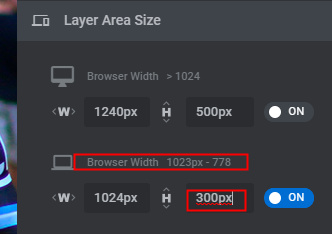
I’m having trouble with Slider Revolution displaying unwanted space when the browser width is less than about 1024 px. I’m using the latest version of the plugin (6.1.3) and the Pro theme (3.0.4). I have a simple page that demonstrates the problem here:
https://bikerideforhope.com/test/
When the browser width is greater than about 1024 the text element below the slider is displayed immediately below the slider (with just a bit of vertical whitespace).

But when the browser width is reduced below 1024 the text jumps down and a bigger chunk of vertical space is inserted.
By using Chrome’s DevTools I can see that the extra space is part of the slider, specifically the /rs-slide element.
In addition to observing the problem on my desktop PC I can also see it on my phone and my iPad (portrait orientation only).
Here are my settings in Slider Revolution:
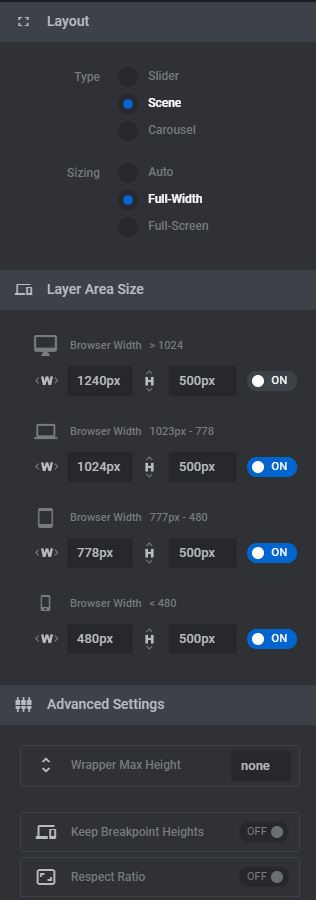
The page name in the WordPress list of pages is TEST.
Can you help me understand why this extra space is being added at the smaller screen sizes?
David Salahi