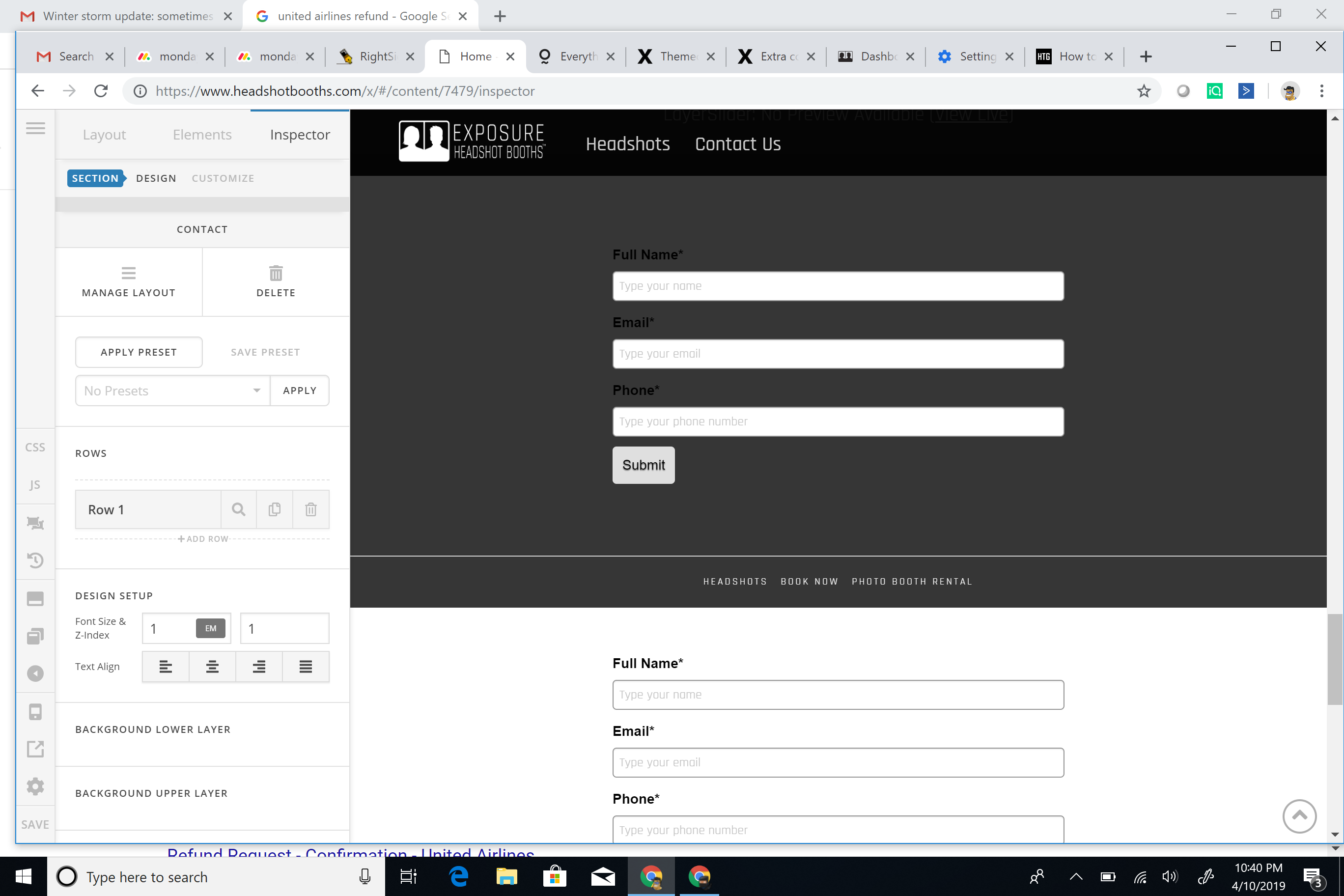
Extra contact forms at bottom of page

Hi guys -

Wondering why, when I log into my dashboard, and scroll to the bottom of the page, a bunch of our Active Campaign contact forms are showing? Specifically, the one in the gray area, above the footer, is showing on the published site, but it shoudln’t be, or I would like it not to be. :slight_smile:

Here is a screen shot of the area on the page I am referring to.

I would like to know how to at the very least remove the contact form in the gray area which is showing on the published page.

Thanks!

Hi @srossand,

You can remove the form under Appearance > Widgets

Or if you no longer need that area, you can disable the footer widgets under Theme Options > Footer

Hope that helps

This topic was automatically closed 10 days after the last reply. New replies are no longer allowed.