Hello, guys.
(I am X pro user.)
There are problems. It has only happened on Explorer 11, the other browser is fine.
I made two column in one row, one is image and the other is text or image. But they are overlapping each other.
I found a solution to fix it. A staff said to put this code ‘.x-image img {width: 100%;}’ in CSS. I did it, it was worked. But the problem is all images that I put in the right size, they changed 100%(size).
(1st add files - before code added ‘.x-image img {width: 100%;}’ )
(2nd add files - after code added.)
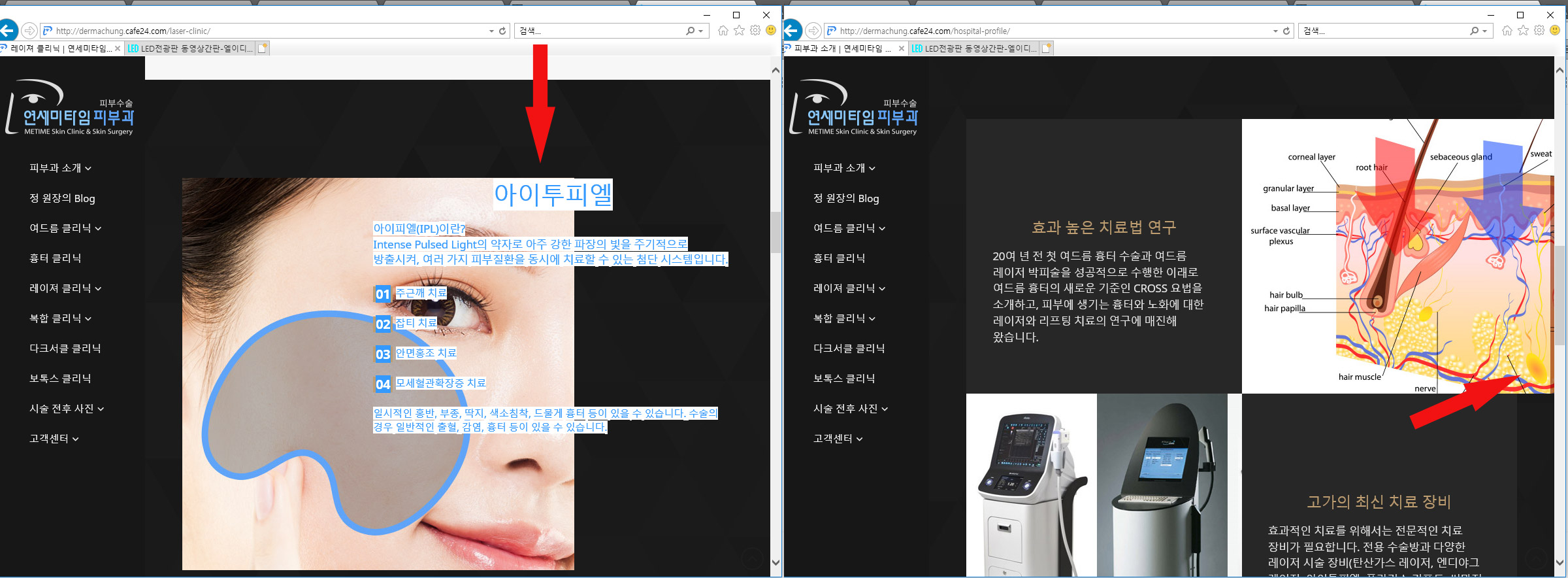

Points
- Not add code. Not responsive some images and overlap some images in columns on Explorer 11.
- Add code. Everything is fine except some images changed from right size to 100%.
How do I fix it?