Hi, I see the ‘expandable’ content elements in Cornerstone but is there a way to do expandable sections? i.e. if someone wants to load the section they click on it but if they don’t then it doesn’t load and slow the page up? I have lots of testimonials and would like to make them expandable so they are there but don’t load if someone isn’t interested?
I also want them to be Cornerstone element formatted so not just html or text.
Hi Fiona,
Thanks for writing in! Currently there’s no such option offered by X theme.
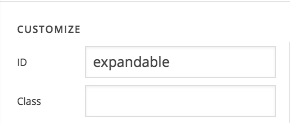
If you like, you can try the following workaround. To test this, create couple of sections in your page and assign the following ID expandable to the section that you want to hide.
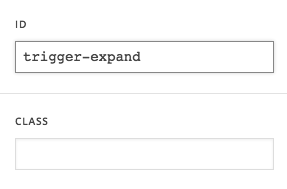
Then add a button to your other section (which is always visible) and assign the following ID trigger-expand to your button.
Then add the following JavaScript code into your page’s custom JS area.
jQuery(document).ready(function($){
      $('#expandable').slideToggle(0);
      $('#trigger-expand').click(function(event){
      event.preventDefault();
      $('#expandable').slideToggle( "slow" );
    });
});
Now once you click the button, it will expand the section and also will close when you click the button again.
Please note that custom development is outside our scope of the support. Use the above code only as a guidance and if you need further enhancements or support, I would suggest you to contact a developer or a service for that.
Thanks!
I WILL have a go and see how I get on. It isn’t a big deal. Like learning new things too! Thanks for your help 
You are most welcome!
This topic was automatically closed 10 days after the last reply. New replies are no longer allowed.