Events Calendar - list view: how to add days of the week?

Hi,

We would like to use the list view of the M.E. Calendar plugin. Unfortunately I can’t find how to add the days of the week (monday, tuesday etc) to this list view:

https://www.amaravati.org/events-calendar-category/meditation-workshop/

Could you help?

Hi there,

Please go to M.E. Calendar > Shortcodes then edit the view you are using for the page.

Go to Display Options then Date Format then place a comma and the letter l after the current values there like:

d M, l

You can see more options for the date format here.

Hope this helps.

HI,

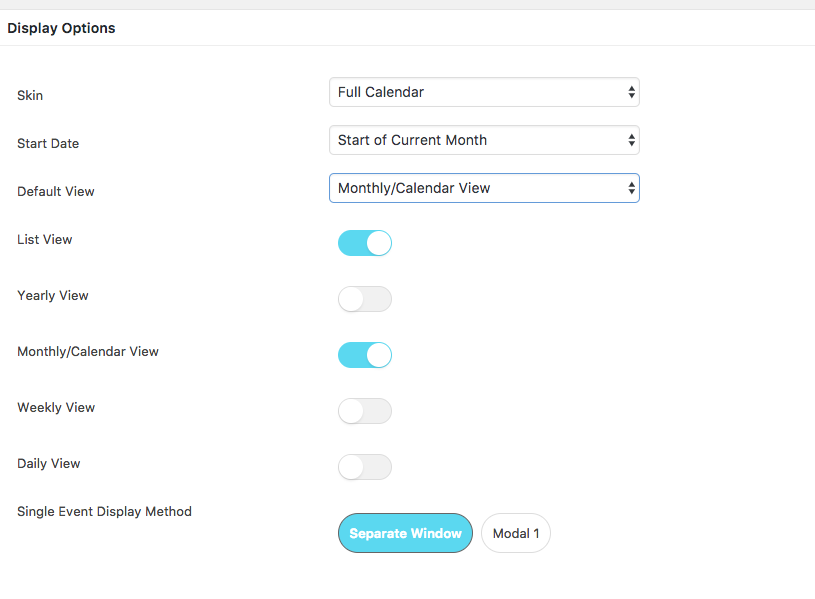
thanks for the link, it was a bit of a mystery for me how these dates d D Y y L works… so thanks. However, the skin I chose is called “Full Calendar”, since I want to show LIST VIEW & MONTHLY / CALENDAR view. When you use Full Calendar it does not show these options like Date Formats for each view. It only shows which view you want to enable see screenshot. If that is the limitation of the plugin, fine. But it would be good to let ‘them’ know that it would be ‘nice’ to be able to have these options also in the full calendar view…
Hi there,

Yes, it’s intended feature and all we could do is forward this as a request.

Thanks!

This topic was automatically closed 10 days after the last reply. New replies are no longer allowed.