I have a website setup with the Ethos theme. I have decided to add a shop to the site so how can I add the Ethos shop page back into the site. All the shop related pages were deleted when the site was first built. I have already added the woo commerce plugin and let it create the required pages for woo commerce. However the shop page is not formated like the original Ethos one.
Hi @waynepatt58,
Thank you for reaching out to us. To make your shop page look like the demo, first set the background color to #e4e4e4 via Theme Options > Layout and Design > Background Options > Background Color and then set the Site Max Width to 1200 and Site Width to 88 via Theme Options > Layout and Design
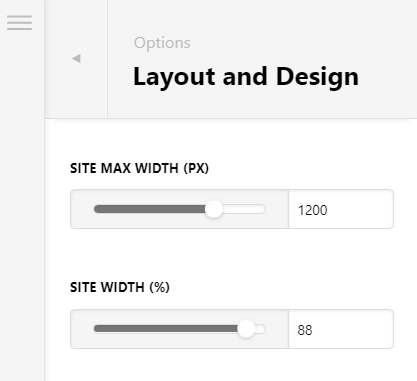
If you already have the same settings then you must have overridden these settings using custom CSS, please go to Theme Options > CSS and then find and remove the following code:
@media (min-width: 980px) {
  .x-container.max {
    max-width: 100%;
  }
}
.x-container.max {
    max-width: 1500px;
}
Hope this helps!
Thanks for your reply, is there a way I can just limit these settings to the shop page as I will mess up the rest of my site if I change those settings?
Hey @waynepatt58,
Yes. Inspect the available body class of any page using the browser’s element inspector and add it to the selector. For the shop page for example, you can use the post-type-archive-product class. That will target all of the product archive pages. Add that to your selectors like the CSS below.
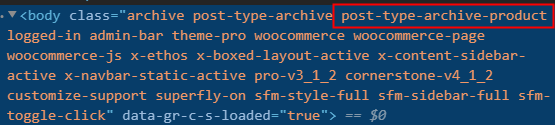
@media (min-width: 980px) {
.post-type-archive-product   .x-container.max {
    max-width: 100%;
  }
}
.post-type-archive-product  .x-container.max {
    max-width: 1500px;
}
Hope that helps.
This topic was automatically closed 10 days after the last reply. New replies are no longer allowed.