Ethos shop category page products

Hi there,

I’m really breaking my head over the following: in Ethos we have a product hover in the product category pages which isn’t really great on mobile. I have used the following code to make this a little better:

.woocommerce li.product:hover .entry-wrap,
.woocommerce-page li.product:hover .entry-wrap
{
top: calc(100% - 4em) !important;
}

This stops the product hover en makes the product title always visible. But we need the price to be visible to. I have searched many topics, and although many questions, no real solutions. Ideal would be just to have the title and price beneath the product thumbnail (like in icon or renew). Do you have any solution to come around this ‘problem’?

Really hope to solve this, as we have several installations on Ethos (because we just love the stack).

I will attach login credentials because the under construction add on is enabled…

Thanks!
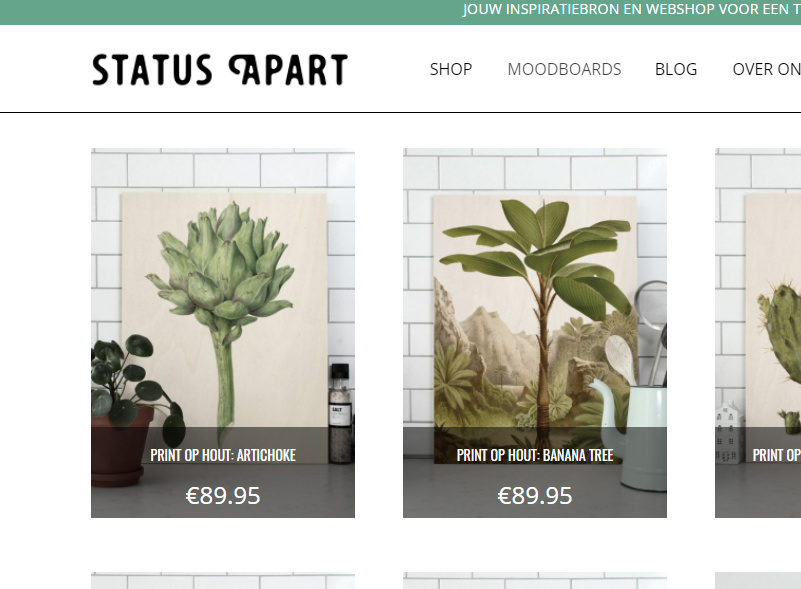
Hi There,

Try this instead:

.woocommerce li.product:hover .entry-wrap, .woocommerce-page li.product:hover .entry-wrap {
    top: initial !important;
    bottom: 0 !important;
}

See this: https://screencast-o-matic.com/watch/cbQuhbIvAG

Hi Lely,

Thanks for the quick answer. The code you provided does not do anything (brings back the hover effect). But I have watched the screencast. Am I right you try to make the hover effect always visible? That would not be a solution. The product images needs te stand out, not all kind of side effects (on mobile it would be a real problem not seeing anything anymore of the product itself). What i want to achieve is to simply have a tile and price beneath the product image like in Icon, Renew and also Integrity. No hover effects or whatsoever.

Isn’t there a way to implement the code of the category pages of the icon stack for instance into the template from Ethos? I have seen this question quite a few times but there is simply no solution until now…

Thanks!

Hi there,

If you want the product name and price to be visible in the shop page, you can try this code:

.woocommerce li.product:hover .entry-wrap, 
.woocommerce-page li.product:hover .entry-wrap {
    top: calc(100% - 6.5em) !important;
}

and the result should be like this:

Hope this helps.

I looked at this example as well, and I found that you must remove the :hover from your code sample.

So the result looks like:
.woocommerce li.product .entry-wrap {
top: calc(100% - 6.5em) !important;
}

Thanks for sharing @annevdheijden.