Hi there,
I am building my first website. This is incredibly exciting but at the same time, nerve wrecking.
I was given a link about a child theme, I have successfully installed the child theme. From my understanding, this means that I can now edit Ethos and make as many changes to the exciting template as I wish without it being lost.
I have searched in the forum but there was no answer for the following questions:

- I would like to have five options for the Navigation bar: Home, About, Products, Brands, Contact
Can you explain how I can add and remove additions to the Nav bar?
- Under Products, I would like it split up into the following: Probiotics, Apple Cider Vinegar, Nut butter, Protein Powder, Coffee, Kombucha, Breakfast, Nutritional Oils
Can you explain how I can add and remove additions to the products? I will then use what I have learnt to do the same with the other options in the Nav bar eg add brands under the brand section.
- When you click on a heading, EG Protein Powder, I would like it to open up onto a new page like this:
https://www.wellnesswarehouse.com/shop/foodmarket/bakery/
Instead of bakery, it would be Protein Powder. Options could include, Plant based, Bone broth etc
Can you teach me how to do this?
-
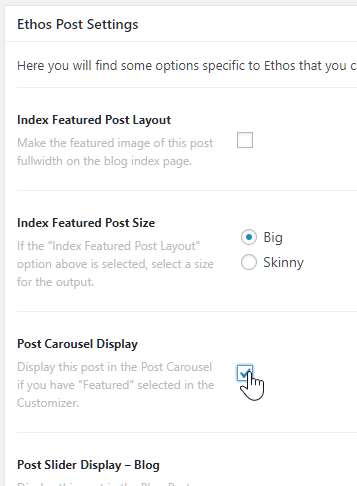
Then, if you look at my site https://healthysuperfoodie.com/, you will see that I have the Plant Based Protein powder in the top slider. How would I like that blog post to Point 3.
-
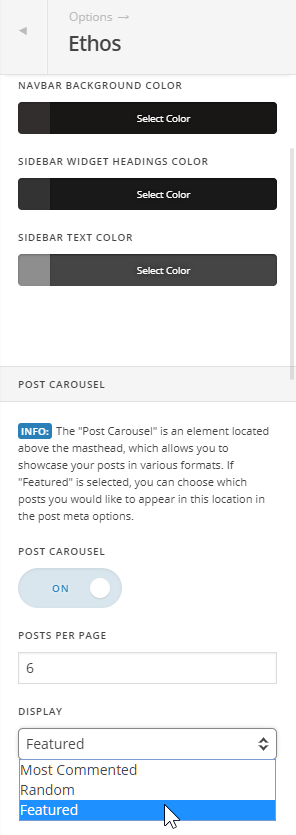
I want to remove the text from the slider under the header. I would like to add a sentence about what the slider is about. How would I go about this?
-
Finally, I want to generate income through affiliate marketing on my site. Is there a tutorial to help me understand what I need on my site? I have been watching YouTube vids and it seems that the companies will provide me with a link. I just want to ensure that I am understanding correctly.
I am really excited to learn. Thank you for your help.