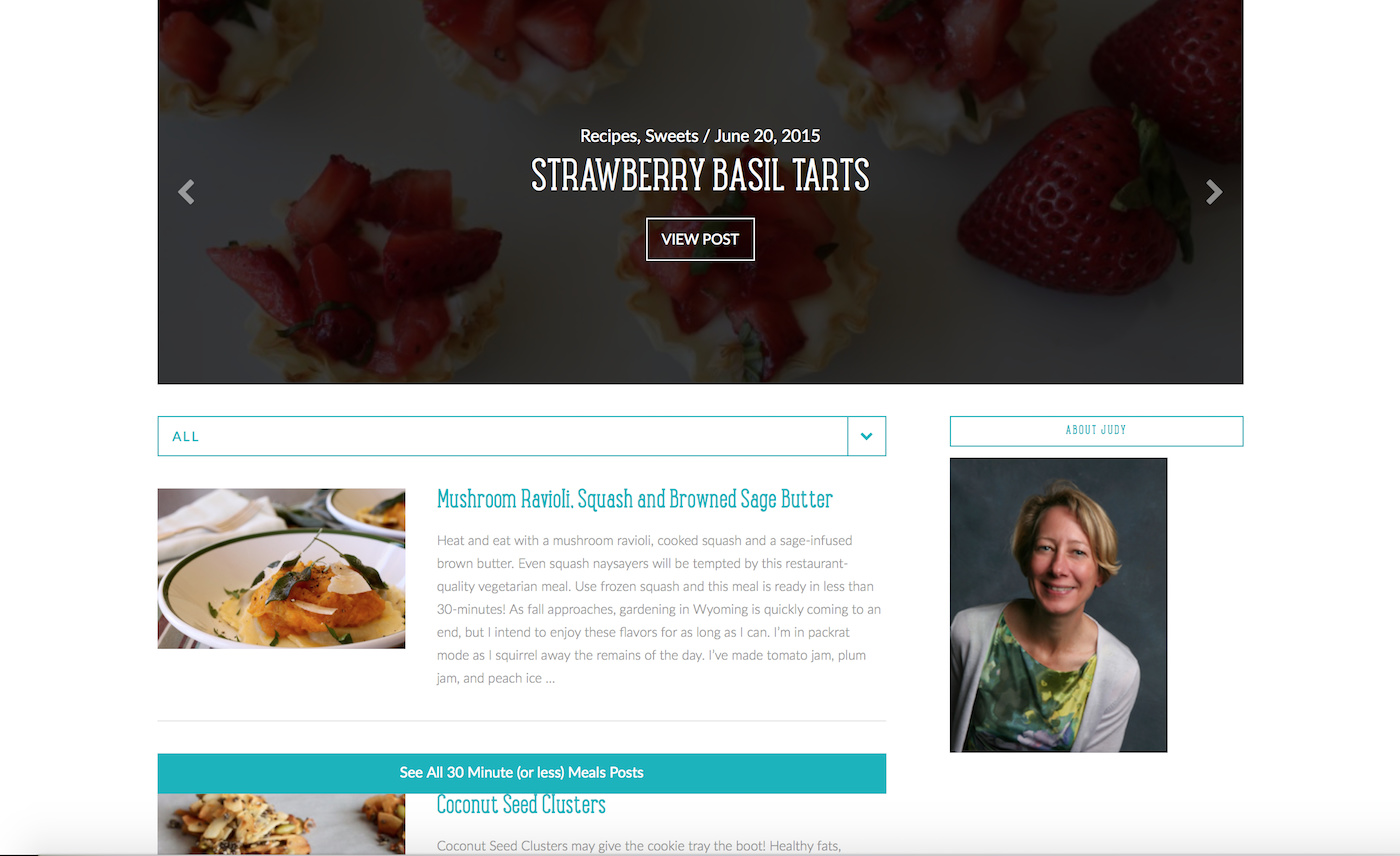
Hi! I’m on Ethos and trying to add a filterable index, while keeping the blog posts in the same chronological order they were in before I added the filterable index. When I add the index, the blog posts show in categories instead of in published order with most recent. See attached images. Can you help?

Hello There,
Thanks for posting in! Enabling the filterable index will bypass the standard output of your blog page, allowing you to specify categories to highlight. The layout of the post items will changed as well. Instead of displaying in chronological order, the post items will be displayed according to its category which you have specified in the filterable index option. This is how the filterable index option works out which is contrary to the default blog index.
Hope this explains it briefly.
Thanks. Is there anyway to use the index as a separate feature - to maintain the chronological blog order and still use the filterable index? My client still wants a chronological blog index but also the ability for folks to filter it. Is there any way to achieve this on X? I’ve built a lot of blog sites, and I’ve never had anyone want to do away with the chronological order of the blog on the homepage. Can you give me an example of when this would be useful?
Hi Moonpup,
You can add the bit of JS code provided here to make the ALL filter the default. However, this will not make the posts in chronological order, because the posts are group by category in this manner.
It could be possible with custom development, but this would be outside the scope of support we can offer.
Thank you for understanding.
Okay… last question. Is there a way to show the chronological posts on one page, and the index with categories on another? We can put the index as is on another page, but we still need to show the chronological posts somewhere else.
Hi There,
You can utilize the Recent Posts element to create a pseudo-blog page. Add multiple instances of recent posts element on your page, increment the offset value by 4 in each recent posts, for example, offset the second recent by 4, then the 3rd one by 8, and 4th by 12, and so on. Configure the recent posts element as you see it fits.
Thanks,
This topic was automatically closed 10 days after the last reply. New replies are no longer allowed.