my website: ATVintagefans.com
Every other Demo is working except the one I was hoping for. I tried to reinstall the them and I am still having trouble . Ethos 1 is the dem . Please help thank you.
my website: ATVintagefans.com
Every other Demo is working except the one I was hoping for. I tried to reinstall the them and I am still having trouble . Ethos 1 is the dem . Please help thank you.
Hi There,
Can you please send us your login details in a secure note so that we can have a look.
Thanks
Hi there,
You will have to change some settings in the Theme Options area so that the contents will be displayed.
Please go to X > Theme Options > Ethos > Post Carousel then change the settings for the Display option. Set the same option for the Post Slider – Blog setting.
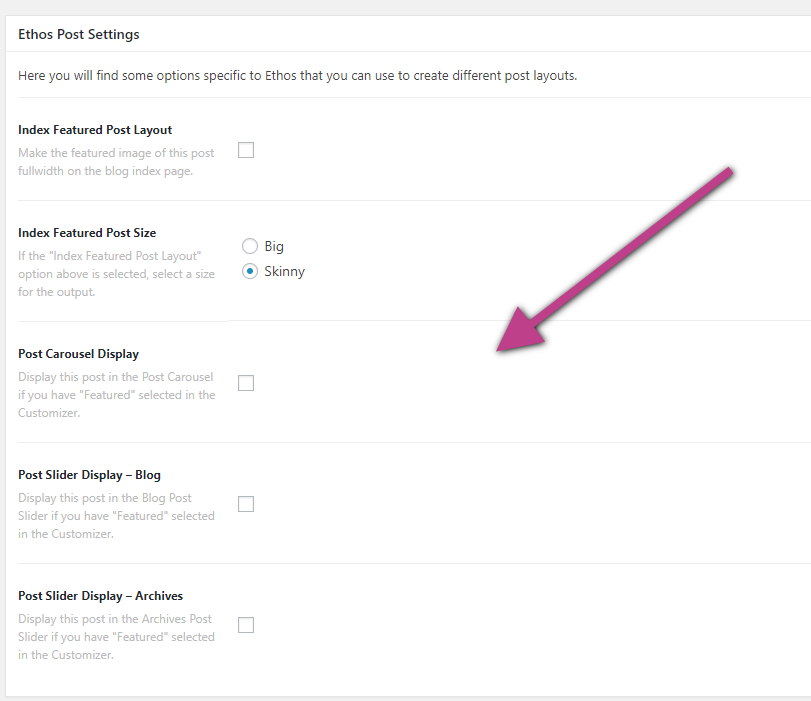
Notice that nothing gets displayed on the site because you do not have any post that are set as Featured post in the individual post setting and currently, the option that it set to those settings are Featured. If you set the settings to Random, you should be able to see some post when the preview refreshes.
Then go to X > Theme Options > Ethos > Blog Options then Remove the Category IDs that are currently set there or put the category ID of the posts that you want to be displayed on the homepage. Please check this link to get the Category ID. Or you can simply disable Filterable Index option.
Hope this helps.
I can’t find theme options.
Nevermind found it. What about the carousel slider at the top of the page? It doesn’t show it  he moment. How do I change that?
Hi there.
As mentioned in the previous response, please set the Post Carousel display setting to Random or set some featured post just like the screenshot in the previous response.
This topic was automatically closed 10 days after the last reply. New replies are no longer allowed.