Hi guys, I’m looking to turn the header white and the background to white also in ethos 1 . Thank you!
Hi there,
Go to X > Launch > Options > Layout and Design > Background Options and remove the background image link from there. That will leave the background white and then you can use the option above the one I mentioned to change the background color to whatever you like.
Fr the Header section Navbar color go to X > Launch > Options > Ethos and you will see the options to change the background:
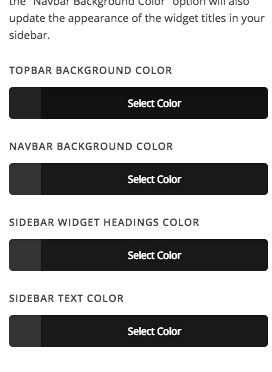
Thank you.
Thank you kindly!
Glad that we could be of a help 
This topic was automatically closed 10 days after the last reply. New replies are no longer allowed.