Ethos 01 Demo - Sidebar question

Hello,

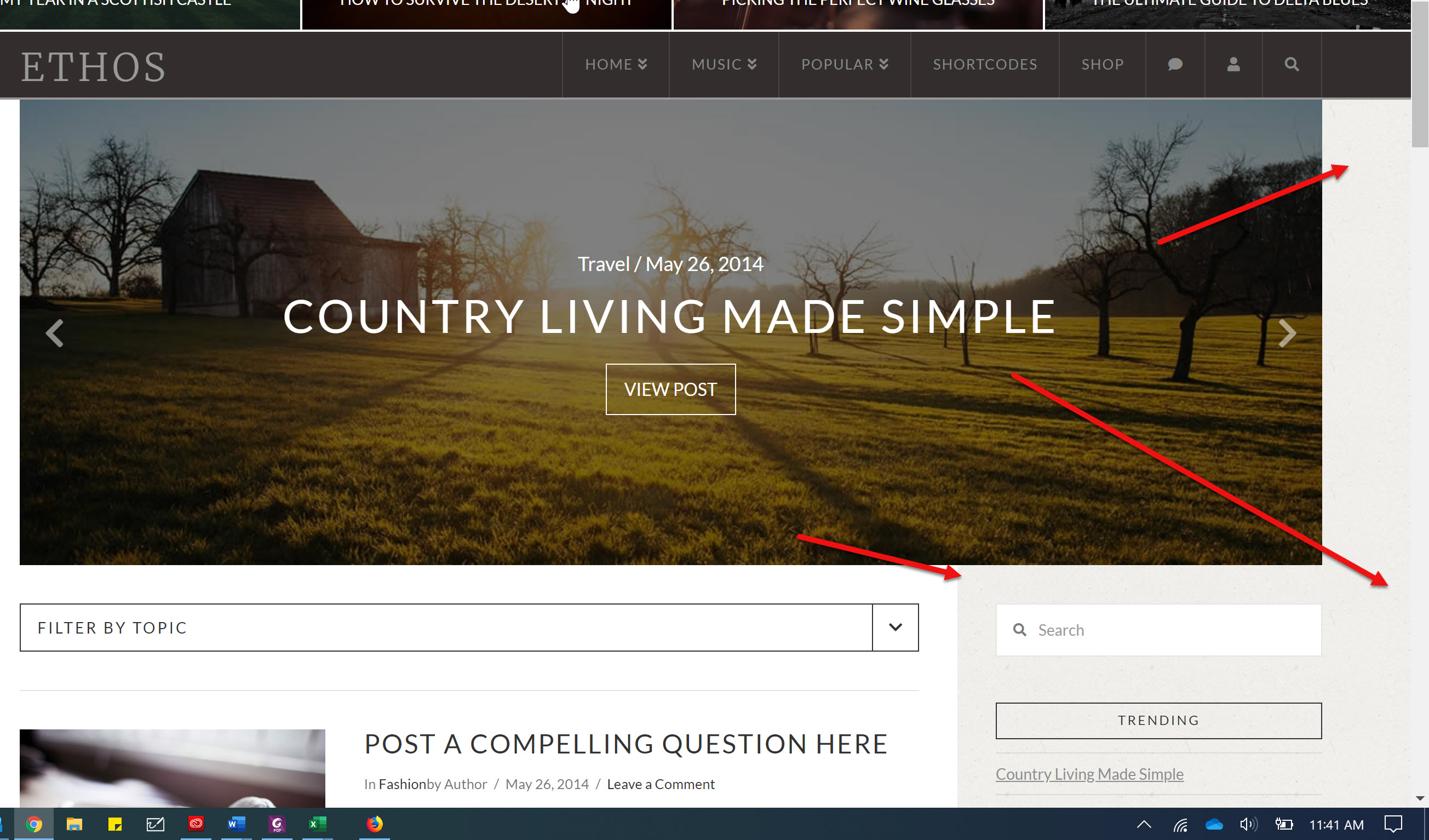
I have been trying to read through the forum and search online for days to find out how to make my blog page appear like the one that you use in your demo.

Can you please assist me in trying to get my sidebar to appear like yours in your demo?

I am trying to get the sidebar to extend (touch) the bottom of the post carousel and extend all the way to the side of the page and also go upwards toward the bottom of the menu between the carousel and the end of the (side) page as you show in your demo.

Thank you.
Hello Trip,

Thanks for writing in!

The Post Slider were displayed between the menu and the content of the page. The sidebar is part of the content of the page which has been divided into two columns, the main content and the sidebar.

If you go to X > Theme Options > Ethos and disable the Post slider, the sidebar will touch the bottom of the menu. That if you haven’t enabled the breadcrumbs in X > Theme Options > Headers > Miscellaneous.

And if you want to move the sidebar to the rightmost part of the page, you will have to do the same on the left side. The contents will move to the left side as well. It may not be a good layout design though. You can try it out by adding the following CSS code in the X > Theme Options > Global CSS (http://prntscr.com/evui3r)

.x-container.max.width.main {
    max-width: 100%;
    width: 96%;
}

You can remove the css code afterwards if you do not like the layout.

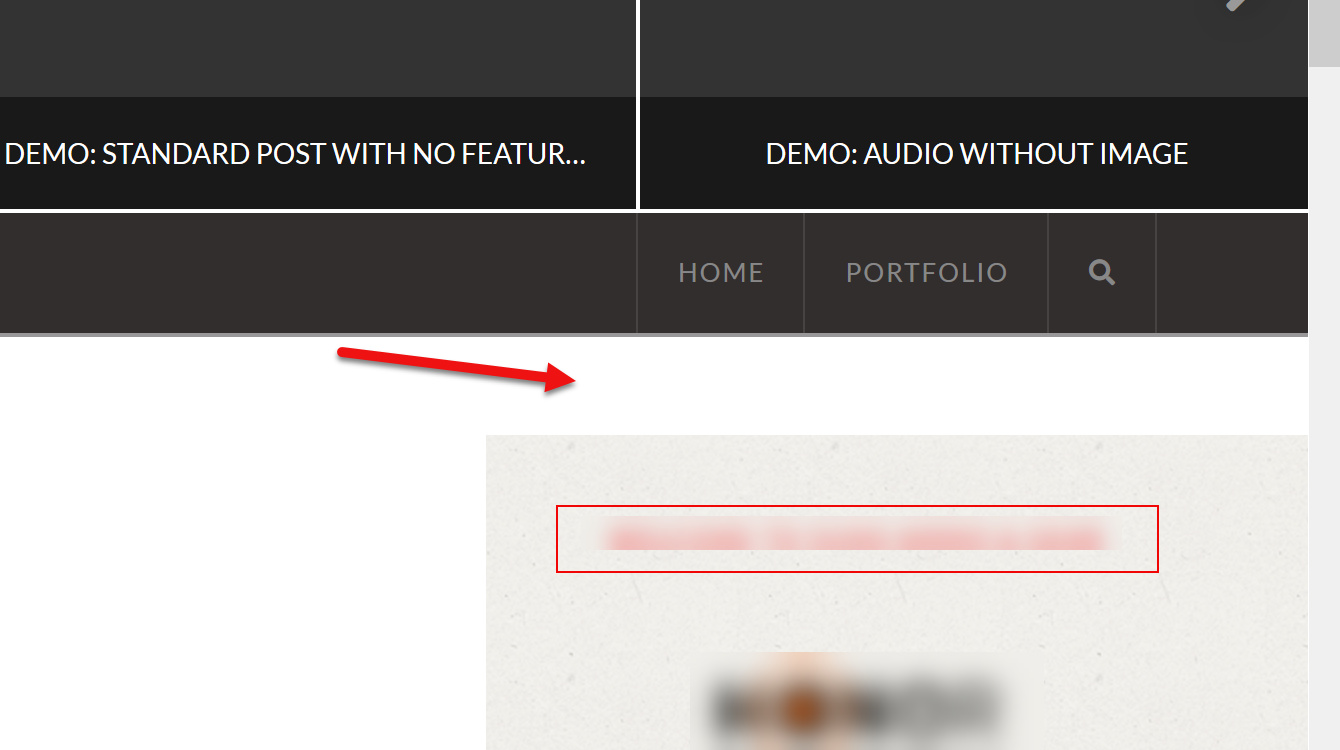
That worked great for the home page! When I click on any one of my posts in the post carousel it changes the sidebar to the screenshot below, which lowers the sidebar and creates some white space under the menu and above the sidebar. Is there a way to get rid of the white space and have it touch the bottom of the menu like it does now on my home page with your new code suggestion?

Thank you,

Hello Trip,

Do you want something like this?

If that is the case, please add the following CSS code in the X > Theme Options > Global CSS (http://prntscr.com/evui3r)

body:not(.home) .x-breadcrumb-wrap {
    background-color: transparent;
}

body:not(.home) .x-container.main:not(.x-row):not(.x-grid):before {
    margin-top: -60px;
}

We would love to know if this has worked for you. Thank you.

Yes! Perfect. Thank you so much! :grinning:

You are most welcome. :slight_smile:

This topic was automatically closed 10 days after the last reply. New replies are no longer allowed.