Hi,
The checkboxes in the essential grid filter are smushed up on the text. Do you know how I can move them to the right of the text and make them have a space from the text?
Thanks!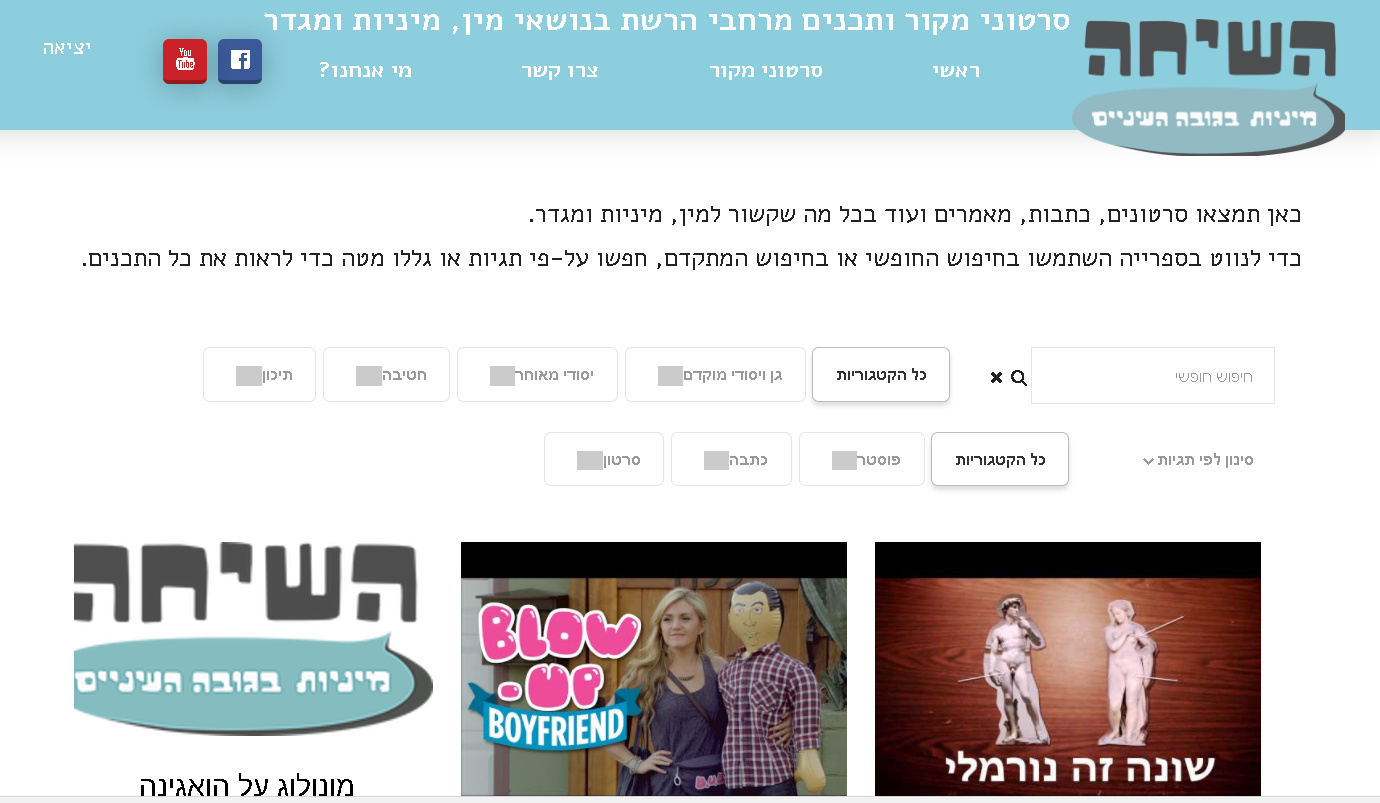
Thanks!
Hi,
The checkboxes in the essential grid filter are smushed up on the text. Do you know how I can move them to the right of the text and make them have a space from the text?
Thanks!
Thanks!
Hello There,
Thanks for writing in! Do you want to have something like this?

If that is the case, please add the following CSS code in the X > Launch > Theme Options > Global CSS (http://prntscr.com/evui3r) or in the customizer, Appearance > Customize > Custom > Edit GLOBAL CSS
.rtl .minimal-light .esg-filter-checked {
    float: right;
    margin-top: 15px;
}
Hope this helps. Please let us know how it goes.
Thank-you! That is EXACTLY what I needed. Huge help and much appreciated.
Now I have a new challenge in the filter bar:
I have a lot of tags, and designated the option to filter by tags in a drop-down. Currently, it shows up in one long column, which makes it very hard to choose from (the user needs to scroll all the way down). Is it possible to organize the drop-down in multiple columns of 7 tags in each column?
Is it possible to make free search bar longer?
Is possible to control the indent of the filters? I would like them them to be aligned one under the other. See attached image (the blue arrow indicates the direction to which we need the filter to move to).

Do you know if it is possible to add filter rows?
Thank-you so VERY much, the website is really almost there!
All of the items you listed are possible with custom development. Regretfully, that is outside the scope of our support. We do have an in-house custom development team that offer paid services, who may be able to assist. They can be contacted at [email protected] if this is of interest to you.
Thank you for your understanding.
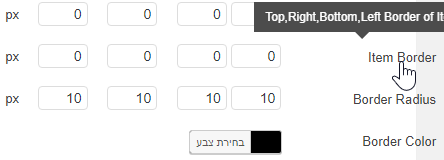
Thanks! One last question - I defined a black border for the grid items, but it is not showing up. The grid I am using is called Library, and the skin Veizm. Can you help?
Thanks!
The Item Border must be set to at least 1px.
Thanks! I want to edit the nav/filter/sort as well as aother parts of the grid with custom CSS on essential grid. When I go through the themeco documentation it doesn’t provide me with the code. Where can I find that? (please don’t send me to the article explaining how to edit the skin via custom CSS, that isn’t what I need, I need some more in-depth part of the code).
Thanks!
Hi there,
There is no documentation available for that even from the plugin author. It’s made that way and there are no other options available. For the CSS, what do you wish to implement? Editing is a broad topic and not something we can fully cover, plus, it’s a bundled plugin and we didn’t develop it. But, I could help a bit with few lines of CSS if you tell me what styling do you wish to apply. Is it the border, background, font, and etc?
Thanks!