Hello,
Got a Error message since I Updated today. Can you tell me how to fix this. Couldn’t find something on Google.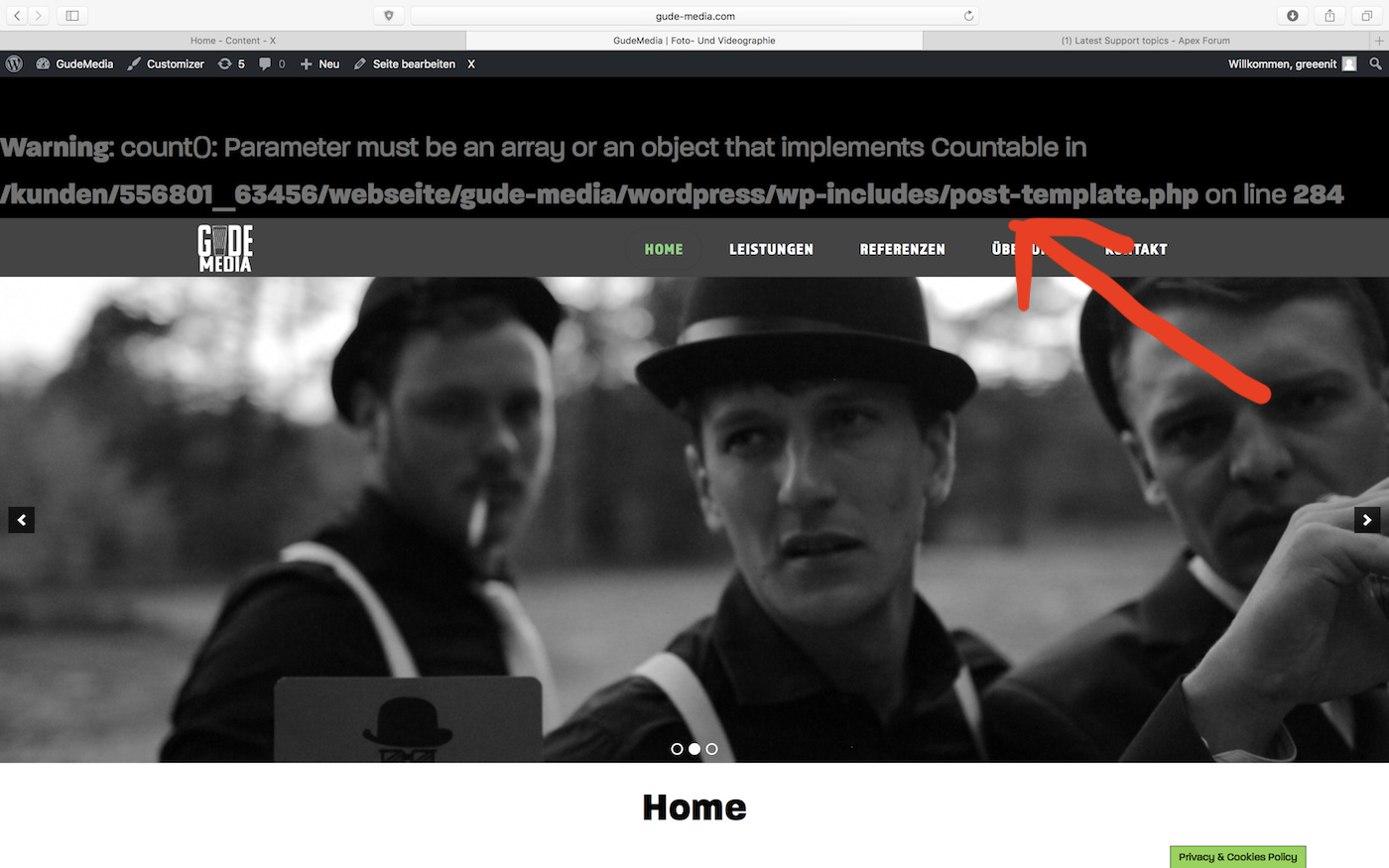
Hey Leon,
Looks like you have enabled WordPress debug. You can turn it off by following the debugging guide from WordPress at https://codex.wordpress.org/Debugging_in_WordPress.
If you want to still log the errors which is recommended, follow the Example wp-config.php for Debugging in that article. More specifically, this code.
// Enable WP_DEBUG mode
define( 'WP_DEBUG', true );

// Enable Debug logging to the /wp-content/debug.log file
define( 'WP_DEBUG_LOG', true );

// Disable display of errors and warnings
define( 'WP_DEBUG_DISPLAY', false );
@ini_set( 'display_errors', 0 );
Hope that helps.
Hello Christian,
That was may first thought too. Even checked it again but it is turned off. Do you have another idea what the Problem could be?
Hi there,
Please try to test for plugin conflict. You can do this by deactivating all third party plugins, and seeing if the problem remains. If it’s fixed, you’ll know a plugin caused the problem, and you can narrow down which one by reactivating them one at a time.
If you are still seeing the error message, please provide us with your admin details in a Secure Note so that we can check your site.
So I deactivated every Plugin, excluded Cornerstone but the Problem was still remaining.
Did you apply the previously suggested code in your wp-config.php? If you don’t need any error logging, please follow the guide at https://aristath.github.io/blog/wp-hide-php-errors
Please follow the instructions. After that, If it still does not work, please deactivate Cornerstone and switch to the default WordPress theme so we’ll know if this issue is coming from our products. Just note that doing these troubleshooting steps would mean downtime for your site. It would be best you copy your site to a staging or development server so you can troubleshoot while your live site continues to operate.
If you find that X or Cornerstone is causing the issue, please give us FTP access.
Thanks.
Tried it again. Now it worked. Thank you!
you are most welcome!
This topic was automatically closed 10 days after the last reply. New replies are no longer allowed.