Equalizing column heights and button placement

reference link: https://financialflock.com/helpful-articles/

Hello,

In the reference link, I’ve been trying to standardize the height of each column and have all the buttons lined up on the bottom of each column. I looked into other posts made in regards to this, however, I either did not see the results when I tried implementing the same instructions or the instructions were too complex for me to follow…

Would you be able to provide me an easy to follow guide towards the solution?

Thank you
Hi Jason,

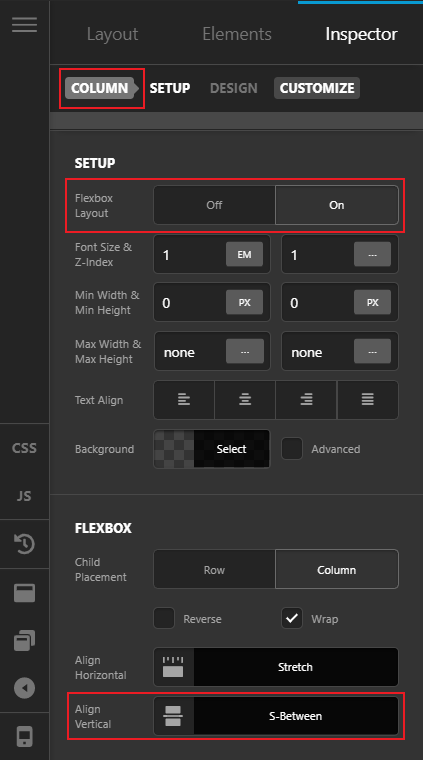
Thank you for reaching out to us. To equalize your content, inspect all of your columns and turn On the Flexbox Layout under Setup and then set Align Vertical to S-Between under Flexbox Settings (see screenshot)

Hope this helps!

Hi Nabeel,

Thanks again for your help. With the instructions you provided, one issue that arises is that the headshots, header, and the top of the body text don’t align (see attached screenshot). Is there a way to just lower the button to the same height?

Thank you,
Jason

Hello Jason,

In your column settings, set the horizontal and vertical alignment to “Start” and then in your button element, set the top margin to “auto”. For more tips and tricks in setting up elements with the Flexbox option, kindly check out this video tutorial:

Hope this helps.

This topic was automatically closed 10 days after the last reply. New replies are no longer allowed.