Hi I am back! lol I set up Envira Gallery for my photography page. I created 2 sets of each image…one as a 300x300px square and the other image as the full image. I applied the full image (cut and paste the URL) into the thumbnail media file field. But I am still seeing the thumbnail and the full image is not showing up. My question is, how can I get the full image to show up? Here is a screenshot. Oh and I used the Classic Envira Gallery.

Hello Grace,
Thanks for writing to us.
To change the lightbox image size of Envira Gallery you need to go to the Envira Gallery—>Select the gallery you have created—>Click on Edit—>Scroll down to the Gallery settings—>Lightbox —>Image size. Please have a look at the given screenshot below.
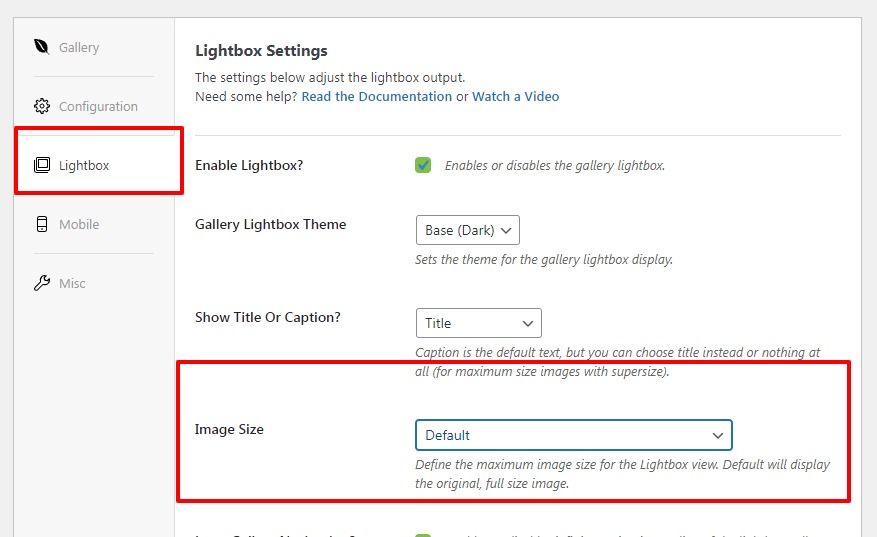
Hope it helps
Thanks
This topic was automatically closed 10 days after the last reply. New replies are no longer allowed.