Envira Gallery, names don't change

Hello

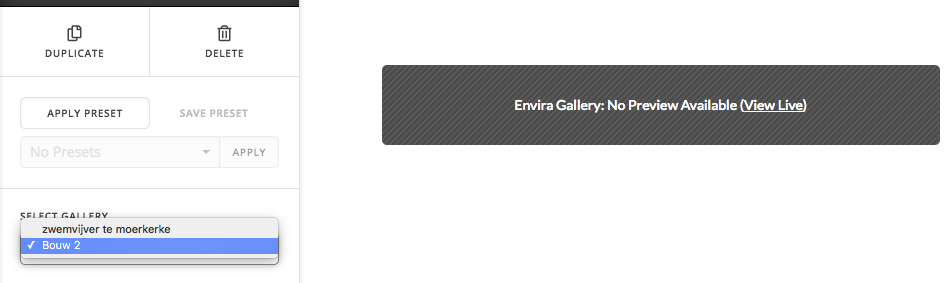
I am making a sort of Portofolio for a customer. I have made a Gallery on Envira Gallery and for testing purposes i used to name it ‘Bouw 1’. Now i liked the Gallery and the lay-out so i changed the name to ‘zwemvijver te moerkerke’, But when i want to select the gallery in Cornerstone, it keeps saying ‘Bouw 1’. I found a plugin to duplicate posts and pages and it works on Envira too so i duplicated that gallery since i want to use it as a template for the following ‘posts’, all the gallery’s are named different, but when i want to select them in cornerstone: they are all named ‘Bouw 1’. So i have 8 Gallery’s named ‘Bouw 1’ (pretty confusing :stuck_out_tongue: ). Now i’ve found that when i make a totally new gallery and give it a name, and 15 minutes later i rename it, it also still shows that first name. So the name never gets updated and it’s very confusing. Can you help me please?
Greetings
Hi Kris,

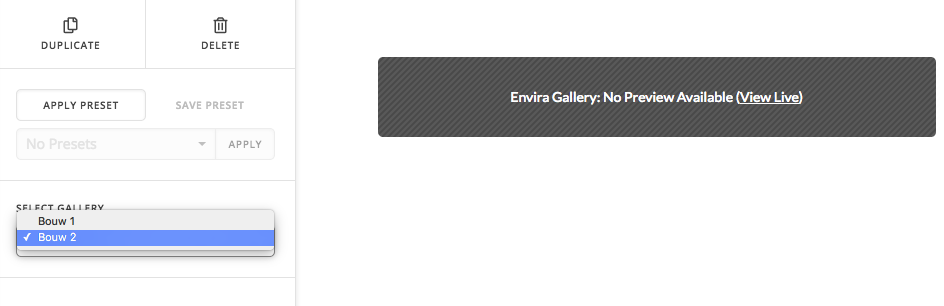
Thanks for writing in! I have tried to replicate this issue on my end, but I couldn’t (see screenshot below).

Then I have updated names.

I think you’re experiencing a caching issue on your end. If you’re using a caching plugin, try purging your server cache and also disable any CSS/JavaScript minifications on your caching as well.

Thanks!

Hello
I am not using a caching plugin on my wordpress installation. Maybe you can check it on my wordpress, i’ll add a secure note with the login details. the problems are found on a few pages: one of them is: zwemvijver te moerkerke. if you open that page, you’ll see a classic essential grid, when you try to choose a different gallery, they are all named Bouw 1

Hello @Vhcarweb,

Thanks for updating the thread. :slight_smile:

I opened the page and in that I do see Classic Essential Grid element. However, if I wish to change the grid from combo box, I don’t see the problem you are facing. I think it’s more of a caching issue on your end. Please try opening the website using different browser or incognito more. Please see screenshot.

Thanks.

You are on these wrong Page, the problem is when i want to use Envira Gallery in a blog post.
Link of one of my posts: steyaertbouw.be/blog/zwemvijver-te-moerkerke/
Now you were watching a Page, not a post.
If you want to edit that most i said, you Will see a Envira Gallery on the right and when you click it and try to change the gallery, they Will all have these same name

Hi @Vhcarweb,

That’s Envira Gallery and not Essential grid. So I add Essential Grid as you said and I’m able to see all the names in the post you provided.

But yes, the names on Envira Gallery aren’t changing and maybe the duplication plugin broke the internal data. Would it be okay if I disable all the plugins while investigating? I just can’t do that right away since it’s a live site. And please back up your site. For the meantime, you could try testing for a plugin conflict. You can do this by deactivating all third party plugins, and seeing if the problem remains. If it’s fixed, you’ll know a plugin caused the problem, and you can narrow down which one by reactivating them one at a time.

Let us know how it goes!

This topic was automatically closed 10 days after the last reply. New replies are no longer allowed.