Hi,
I want to allow comments on my portfolio pages. For some reason I can’t figure out how to do this. Any help would be greatly appreciated!
Hi There,
Go to Wp Admin > Portfolio > on each item click > Quick Edit > Select > Allow Comments.
Hope it helps
Thank you so much - that worked. One more question:
I would like to style the “share” options so that they are always in-line and left justified (see image). Can you help me with this please?
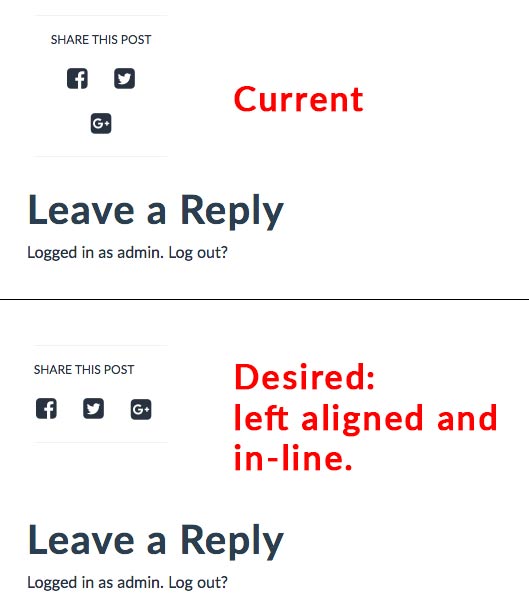
Hi there,
Kindly add the CSS code below to X > Launch > Options > CSS:
.x-entry-share .x-share {
	width:  40px;
	height:  40px;
}
Hope it helps.
Thank you. I added the code, but it did not fix the problem. Any other ideas? Thanks.
Hi There,
Please try adding the following CSS instead:
.entry-extra .x-entry-share {
    text-align: left;
}
.single-x-portfolio .x-portfolio .entry-extra {
    width: 100%;
}