Hi There,
Yes, those Custom Styling settings doesn’t include settings for confirmation message. You can redirect them to other page, or use direct custom CSS to change how it looks. We can use browser developer tools to inspect those element. See this:
This is how it should be by default:
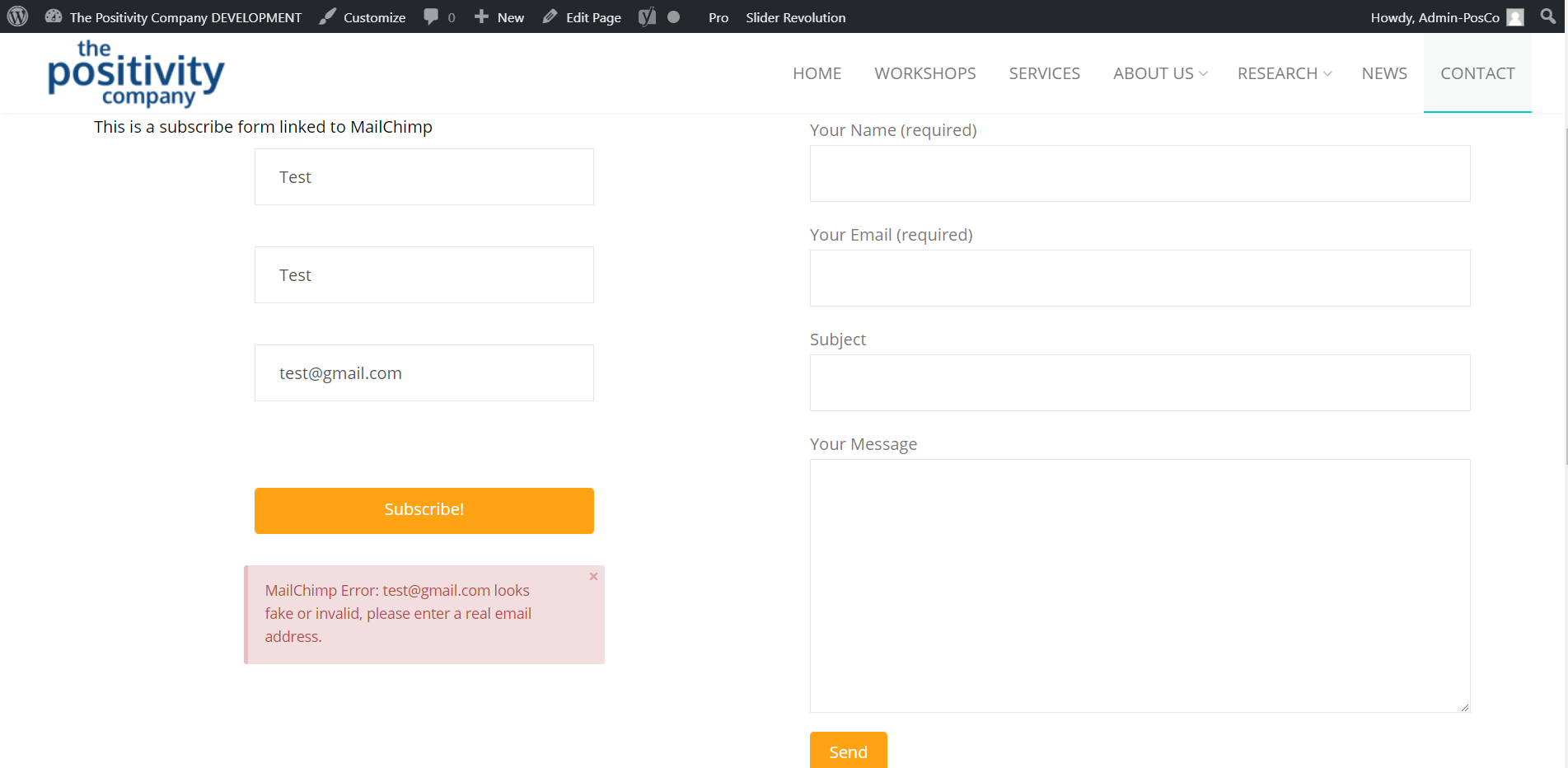
Because of the following CSS specially the float left value, the background of the error overflow with the entire form.
.tco-subscribe-form fieldset {
    float: left;
    padding: 10px;
}
If you insist on adding the custom CSS, we need to clear the float like below:
.tco-alert-danger {
    color: #b94a48;
    border-color: #e5bdc4;
    background-color: #f2dede;
    clear: both;  /*This line was added*/
}
.tco-alert {
    margin: 0;
    border-left: 4px solid #f6dca7;
    padding: 0.915em 2.25em 1.15em 1.15em;
    font-size: 14px;
    line-height: 1.6;
    color: #c09853;
    background-color: #fcf8e3;
    border-radius: 3px;
    clear: both; /*This line was added*/
}
To understans better, see this too: https://www.w3schools.com/css/css_float.asp
Hope this helps.

