We are updating a page on our site and there is a Classic accordion element showing on the published page that is not anywhere to be found in the backend editor. We tried deleting various elements to remove it - flushed cache and even updated both X theme and Cornerstone. No luck. We need to remove this element because it has default text - and it is showing on a main page of our site.
Thanks for writing in!
Would you mind providing the details of the website? so that we can have a look on to the issue.
Also point us the page where the accordion is.
Please provide following information:
Set it as Secure Note
- Link to your site
- WordPress Admin username / password
All the best!
Thanks - provided the information in the secure area. Looking forward to your input.
Hi There @erinfogg
Could you please try switching to your skeleton mode on Cornerstone and then remove those elements.

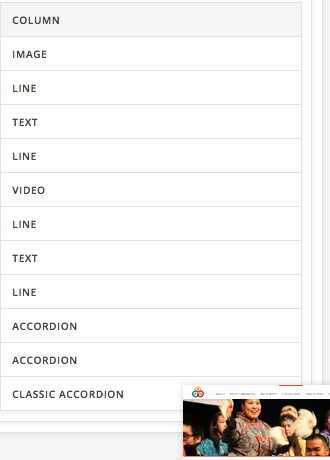
Hope that helps.
Thank you so much! This solved it.
Any idea why this wasn’t showing on the regular editing mode? Just so we know for the future.
Hey There,
The element could be have invalid codes in it, empty contents, or have something which make it invisible in the preview. Please make use of the skeleton mode to check for elements more easily.
You’re most welcome.
This topic was automatically closed 10 days after the last reply. New replies are no longer allowed.