I want to make the shape on some photos cirkular and has tried some settings with the border-radius setting. but it didn’t affect on the photos.
In the Element Inspector I has inserted “roundphoto” in class and tried to insert .roundphoto { border-radius: 50%; } - in Element CSS and also tried to insert in the style.css - file.
When I inspect the Code I can see that the “roundphoto” applies to the SPAN - tag but not to the IMG - tag
CODE:
Hi There,
From version 2 of image elements. The image has been wrapped by the span tag:
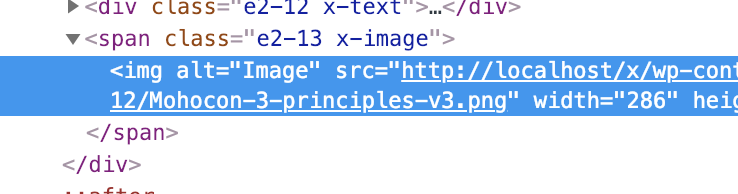
So your element CSS should be like this:
.roundphoto img { border-radius: 50%; }
Hope it helps 
Hi Thai
Thanks a lot. This solved the issue.
Best Regards.
You’re welcome.
This topic was automatically closed 10 days after the last reply. New replies are no longer allowed.