I’m using the education theme and have modified the “admissions” page to be want I want to be the “home” page. New to this so forgive me but how do I switch this to make my “admissions” page be the home page. Thanks!
Hi @glennjgraham,
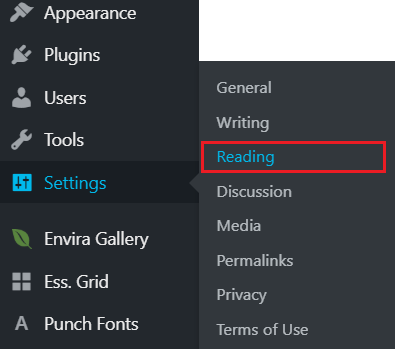
Thank you for reaching out to us. To make your “admissions” page your homepage, go to Settings > Reading in WordPress Dashboard (see screenshot)
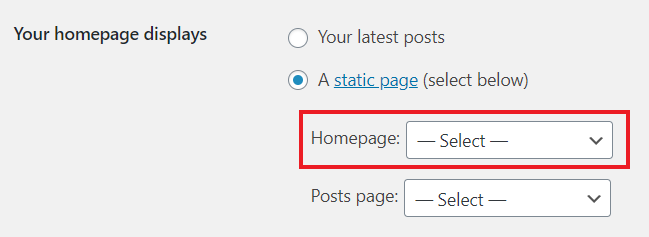
Under Your homepage displays setting select “A static page” option and select “admissions” page from the Homepage dropdown (see screenshot)
Hope this helps!
This topic was automatically closed 10 days after the last reply. New replies are no longer allowed.